18
4.
AP mode
Note
•
1.
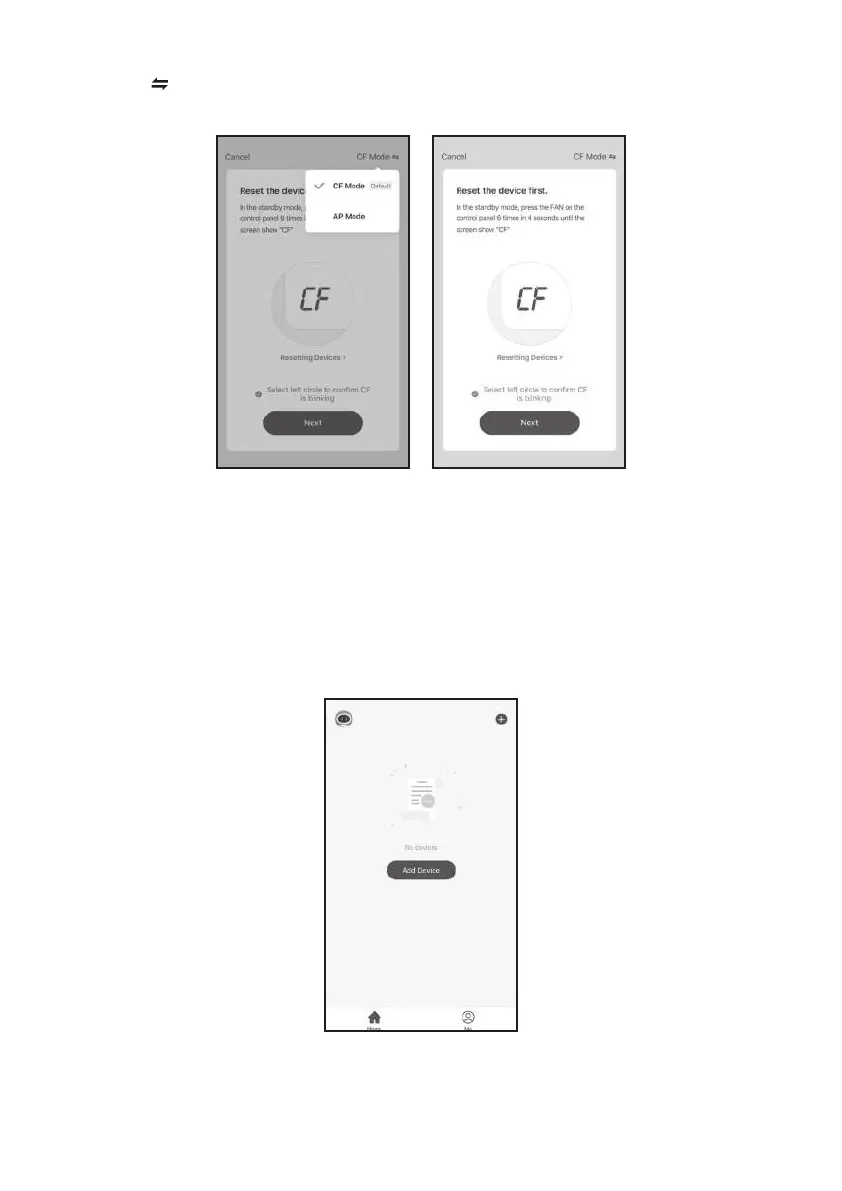
Click “ ” in the upper right corner and select the "CF Mode" or “EZ mode”, and tap "Next".
The original state of the newly bought unit is in CF mode
If you choose to use AP mode, Please press the “FAN” button 6 times within 4 seconds, wait
about 10 seconds, until the LED screen show “AP”, then start to connect it.
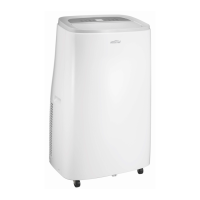
Click “ ” in the upper right corner of the "Home" screen or tap "Add device" on the
room which has no device.


 To Next Page