17
CF mode
1.
2.
3.
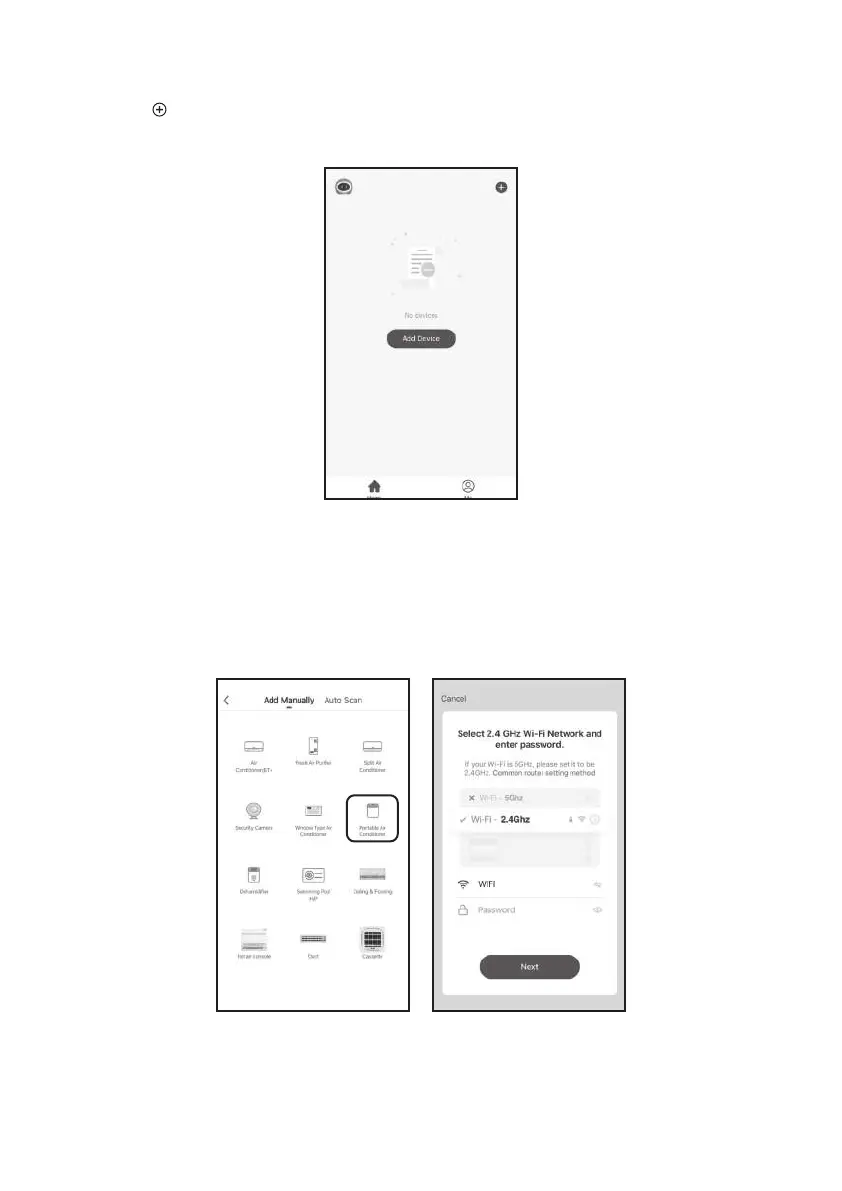
Click “ ” in the upper right corner of the "Home" screen or tap "Add device" on the
room which has no device.
Tap the "Portable Air Conditioner” logo.
Input the password of the Wi-Fi which the same as your smart phone connected, then tap
"Next".
(Note: Please make sure the “Password” is correct, or the connect will be failure.)


 To Next Page