73
7521
7521
N/B MAINTENANCE
N/B MAINTENANCE
5.2.6 Keyboard
Disassembly
1. Open the top cover.
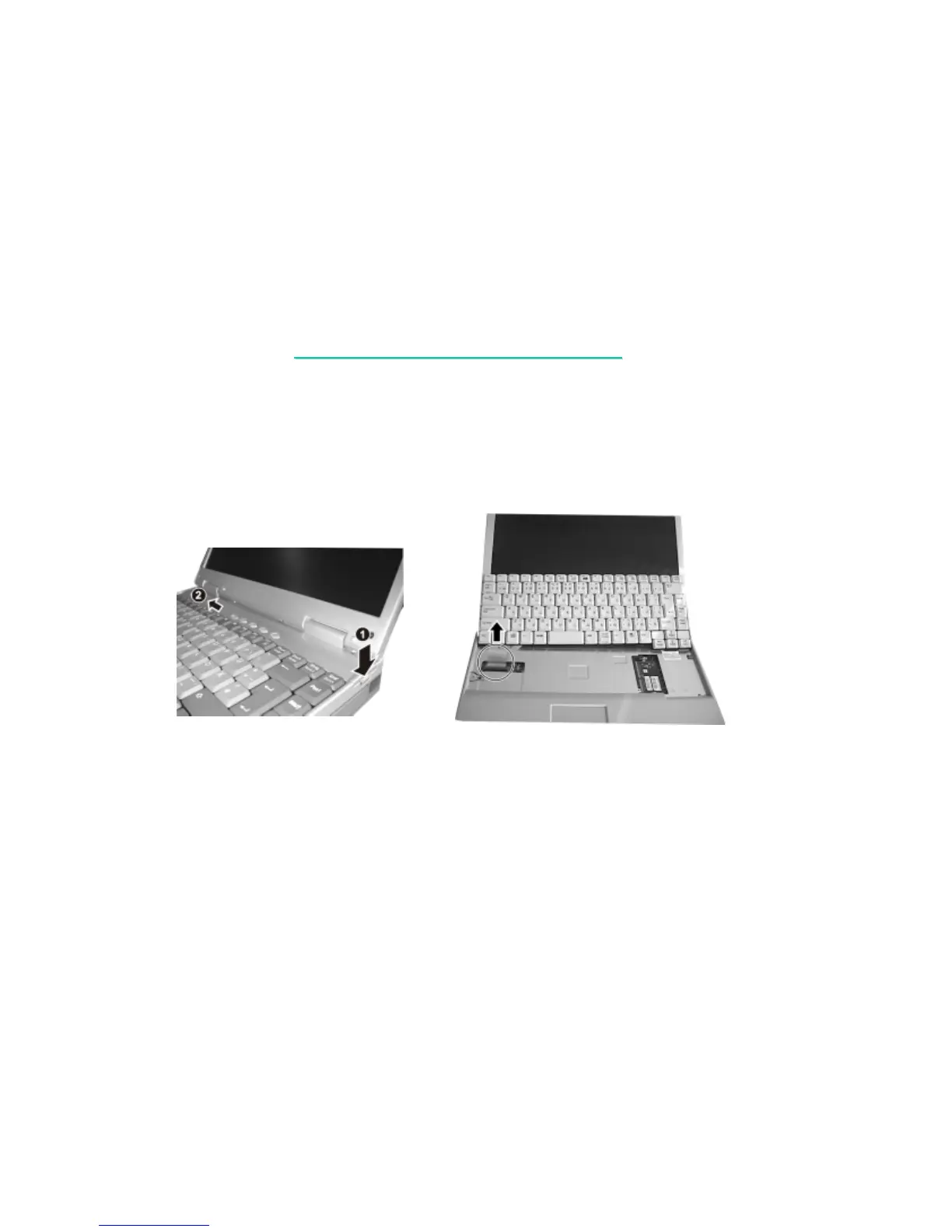
2. Press the locking latch downward to unlatch the Easy Start panel () , push it leftward and
lift it up from the left side (). (figure 5-13)
Figure 5-13 Figure 5-14
3. Slightly lift up the keyboard and disconnect the cable from the system board to detach the keyboard.
Reassembly
1. Reconnect the keyboard cable and fit the keyboard back into place.
2. Replace the Easy Start panel.



 To Next Page