74
7521
7521
N/B MAINTENANCE
N/B MAINTENANCE
5.2.7 SO-DIMM
Disassembly
1. Remove the keyboard to access the SO-DIMM sockets. (See section 5.2.6 Disassembly.)
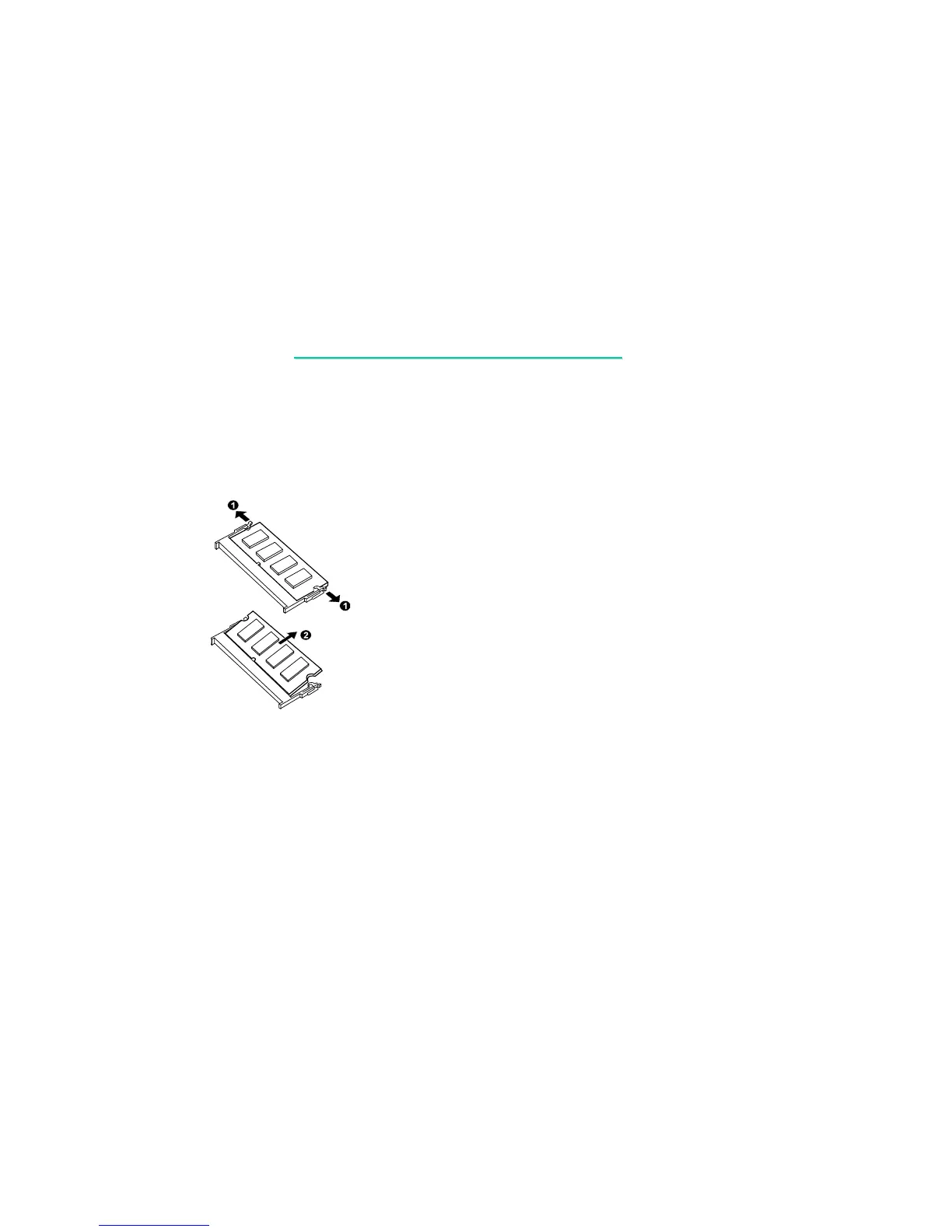
2. Pull the retaining clips outwards () and remove the SO-DIMM (). (figure 5-15)
Figure 5-15
Reassembly
1. To install the SO-DIMM, match the SO-DIMM's notched part with the socket's projected part
and firmly insert the SO-DIMM into the socket at 20-degree angle. Then push down until the
retaining clips lock the SO-DIMM into position.
2. Replace the keyboard and the Easy Start panel. (See section 5.2.6 Reassembly.)



 To Next Page