EasyManua.ls Logo

MiTAC Maestro 830 - Page 9

MiTAC Maestro 830
69 pages
Print Icon
To Next Page IconTo Next Page
To Previous Page IconTo Previous Page
Loading...
2. DETAIL SPECIFICATION
2.1 SWITCH BUTTON
Function
PC power
Power On/Off, go to S3/S4(follows the Windows Setting)
HD-in mode
Switch the display of screen from PC to HD input
ODD Eject
ODD tray eject/insert (It can be pushed when ODD tray is ejection)
2.2 LED CONDITIONS
(1) Power LED status
(2) Other LED status
LED name
LED Color
LED State
Turn On Condition
Turn Off Condition
HDD/ODD
access LED
Blue
Under the not Dimmer mode, and when
system access to HDD or ODD.
Under the Dimmer mode, or when system
doesn't access to HDD or ODD
HD-in LED
Blue
In HD-in mode
Out of HDMI mode
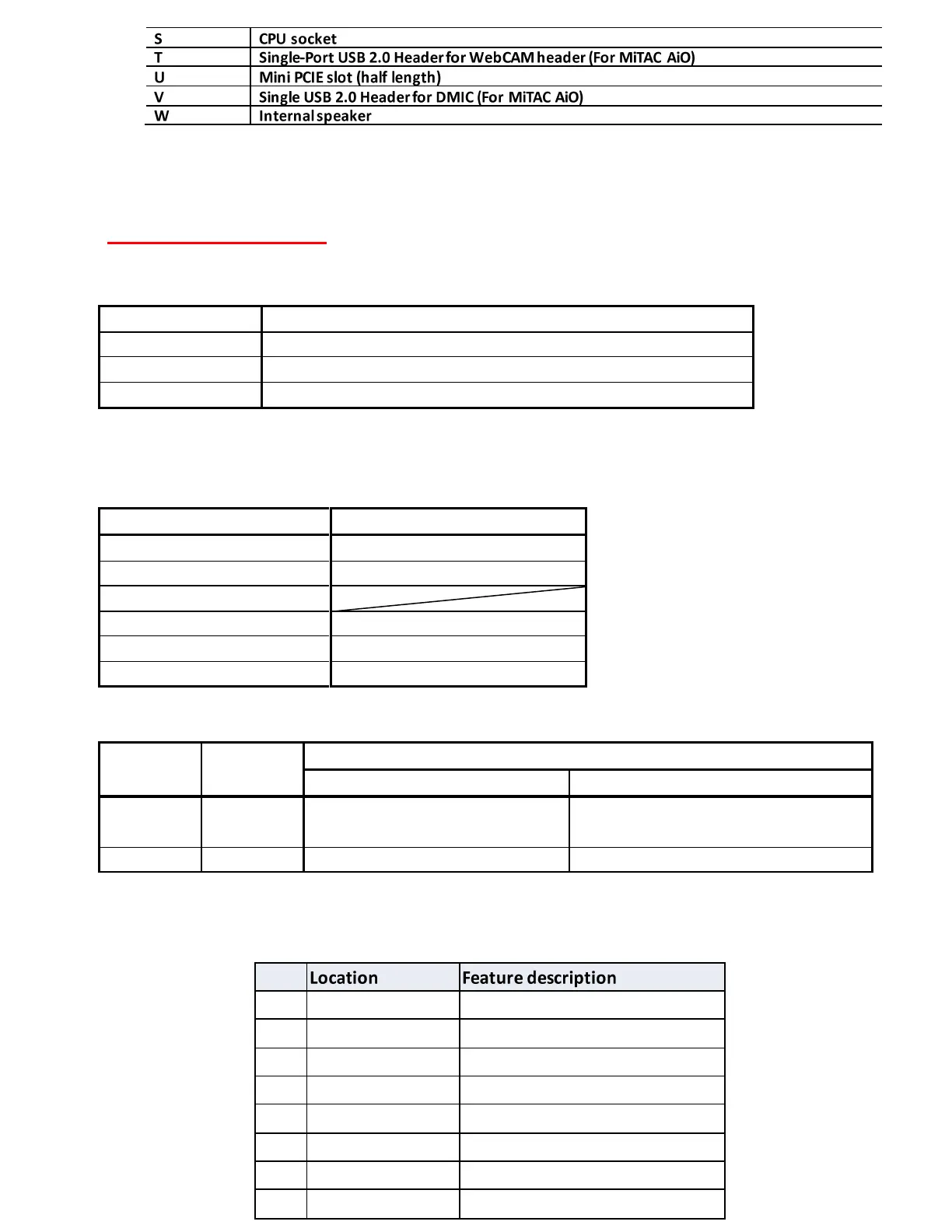
2.3 MB CONNECTORS / HEADERS
J34
Front I/O header
J27
Internal speaker
J28
TP & Card reader USB
J36
WebCAM
J2
Dual-Port USB 2.0 Header
J12
CPU FAN header
J7
LVDS power 1x3 pin header
J8
Converter board header
System State
Power LED State and Color
S0
Turn On (blue)
S1
Slow Blink (blue)
S2
S3
Slow Blink (blue)
S4
Turn Off
S5
Turn Off