9
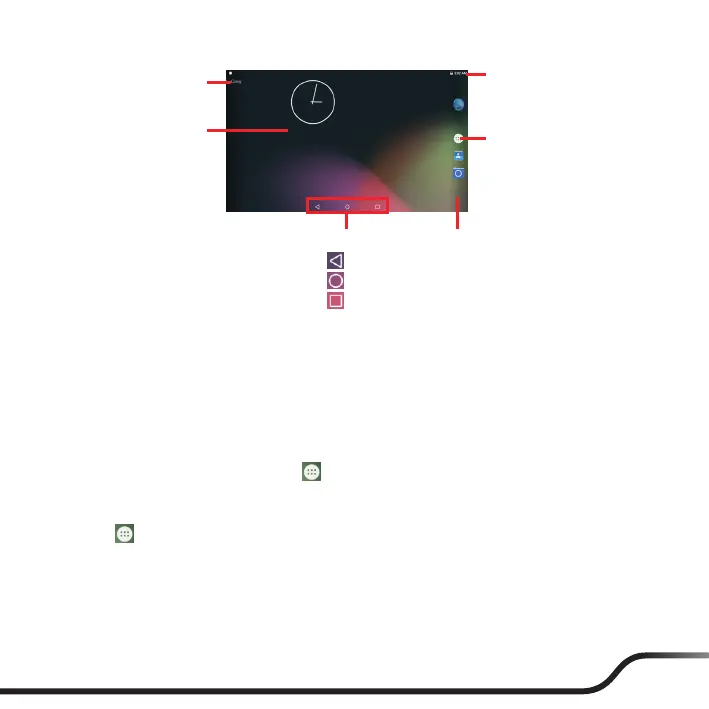
Status Bar
Quick Launcher
Shortcuts/widgets
Desktop
All Apps button
Soft keys
Back
Home
Recent Apps
The soft keys may be in hidden mode at times. Simply tap where the keys are
located to bring out the keys again.
Customizing your device
You can customise the device through the Settings menu, including personalizing
the Home screen, changing the display and sound settings, conguring the
connection settings, and more.
To access the Settings menu, tap
on the desktop
Settings.
Wireless network connection
1. Tap on the desktop
Settings
WLAN.
2. Tap the WLAN switch to turn it on. The device will automatically scan for
available wireless networks.
3. Tap a wireless network to connect.
4. If you select an open network, you will be automatically connected to the
network.



 To Next Page