-21-
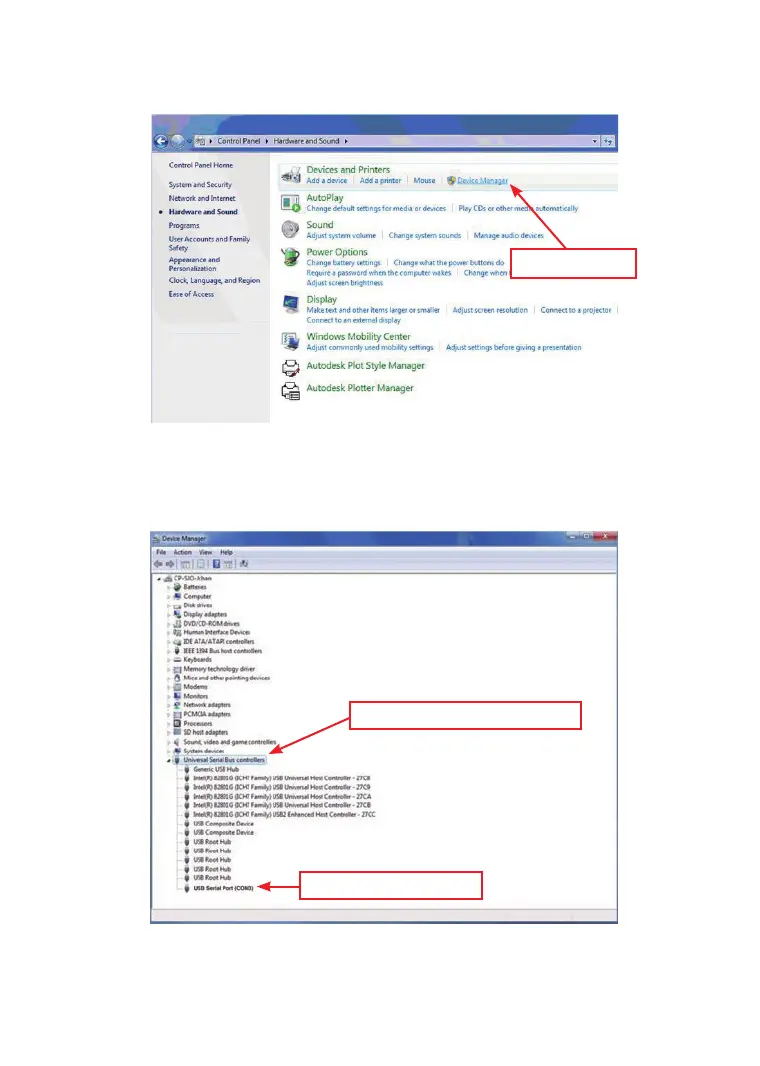
4. On the Hardware and Sound Application, nd “Device
Manager” Application.
5. On the Device Manger Application, click right button of the
mouse and nd “Universal Serial Bus Controllers”
6. On the Universal Serial Bus Controllers, Find the USB
Serial Port (COM 3)
(Note: USB Serial Port will indicate different
“COM”automatically)
Device Manager
Universal Serial Bus controllers
USB Serial Port (COM3)



 To Next Page