ENGLISH
ENGLISH
© Mitchell Acoustics Limited UK 2021 uStream One IB Ver 2.0 Rev 1
21 of 11620 of 116
7. Disposal
Disposing of the Packaging
Sort the packaging before you dispose of it. Dispose of paper and cardboard with the recycled paper service
and wrappings with the appropriate collection service.
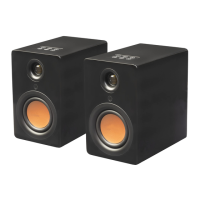
Disposing of the Speakers
Old appliances may not be disposed of in the household waste!
Should the speakers no longer be capable of being used at some point in time, dispose of them in accordance
with the regulations in force in your city or county. This ensures that old appliances are recycled in a
responsible manner and also rules out negative consequences for the environment.
Disposing of the Battery
Batteries may not be disposed of with household waste!
As the end user you are required by law to bring all batteries, regardless whether they contain harmful
substances* or not, to a collection point run by the communal authority or to a retailer, so that they can be
disposed of in an environmentally friendly manner.
* labeled with: Cd = cadmium, Hg = mercury, Pb = lead
8. Troubleshooting
No power when switched on at rear
Wall socket not switched on or faulty
Plug not fully inserted into wall socket
Fuse in adaptor plug may have blown.
Internal mains fuse has blown inside the
AC adaptor, (this will need to be replaced by a qualified
service technician)
Fuse in household fuse box has blown or circuit has been
tripped.
Power not turned on.
Volume setting too low.
No input audio equipment is connected or is faulty.
Correct audio input source not selected on top panel.
No sound from one speaker
Audio source input cables connected incorrectly or
damaged.
TWS function not activated
Buzzing or Humming from either
speaker
It is normal with Bluetooth audio for there to be a low level
background noise when very low level audio is being
played, like gaps in classical music.
Audio connection cables are either damaged or not
connected correctly
Remote control not working
Adjust the angle at which the remote control is pointed at
the speaker.
Check if the battery has been inserted correctly.
Battery could be flat, replace to see.
Remove any objects found between the remote control
and the remote sensor.
Make sure the distance between the remote control and
the device does not exceed 5 m
Buttons do not function (on the unit
and/or remote control)
Turn the unit off and then on again.
As an alternative, turn the unit off, unplug it from the
power outlet and plug in again.
I am experiencing dropouts on my
RIGHT Speaker
Devices such as microwaves, cordless phones, Bluetooth,
mouse or Wi-Fi devices connected to 2.4GHz that run on
the same frequency may cause interference and result in
dropouts. Try to remove this type of device from the
vicinity. You can also make use of network analyzer apps
available on the market to check the network and
interference status.


 To Next Page
 Loading...