ENGLISH
ENGLISH
© Mitchell Acoustics Limited UK 2021 uStream One IB Ver 2.0 Rev 1
9 of 1168 of 116
USA / Canada
Europe / UK
UK adaptor
AC power adaptor
1. Quickstart Guide
1. Find a suitable location for your uStream One speakers. Make sure the surface is
stable with enough space for the power cable to be connected.
2. Locate the 2 white boxes containing the AC power adaptors and cables.
3. Insert the power cable from the AC adaptor into the 24V socket on the rear panel
of each speaker.
4. Locate the power cables relevant for your location. Discard the other power
cables.
Plug one end of the power cable into the 2-pin socket on the AC power adaptor
and the other end into a mains power socket.
Turn the power switch on the rear of the speaker to ON.
5. Position speakers.
PLEASE NOTE SWITCH THE LEFT SPEAKER ON FIRST. This will become Speaker 1.
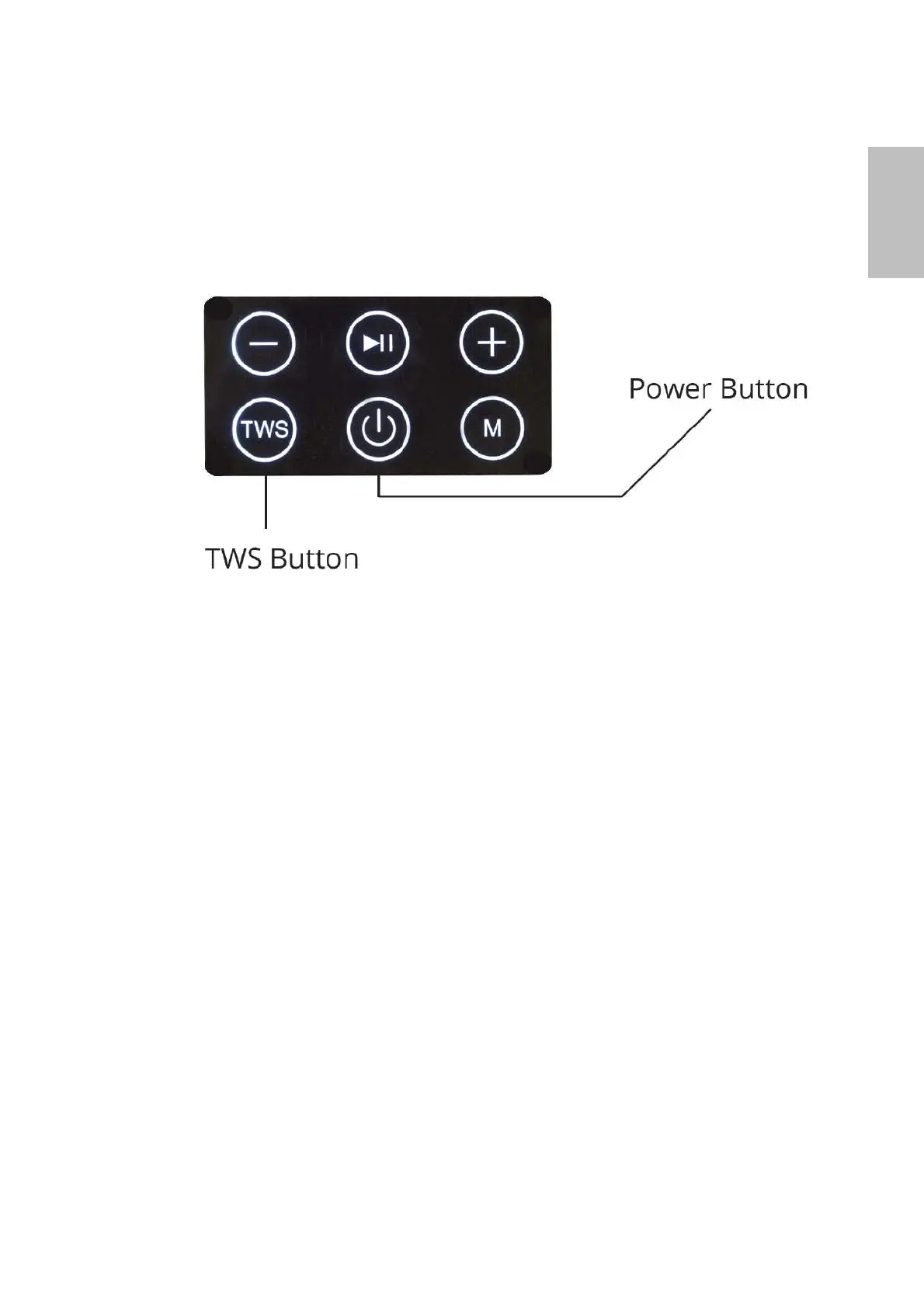
Turn each speaker on by pressing the power button for 2 seconds.You will hear a
voice response ‘Power On’ to confirm, followed by the default mode, ‘Bluetooth’.
6. Once each speaker is powered on, press the TWS button on the LEFT speaker (not
both). The voice response ‘Connecting to speaker 2’ will be heard, followed a few
seconds later by the voice command ‘Speaker 2 connected’
7. On the Bluetooth device you would like to connect to the speakers, look for
‘uStream One’ on the list of available devices to connect to and select it. The
voice command ‘Connecting to Bluetooth..Bluetooth connected’ will be heard.
NOTE: if you are seeing more than one ‘uStream One’ listed in the BT devices
on your device it means Left and Right speakers are not connected to each
other. Go back and follow the steps in 4. above.
8. Any sounds playable on your phone will now come from the uStream One
speakers in STEREO.
BEFORE USING REMOTE CONTROL PLEASE SEE PAGE 15.
9. Use the supplied remote control handset (point it at the LEFT Speaker) to
increase the volume to maximum. To do this you must repeatedly press the
‘Vol +’ button on the remote. When maximum volume is reached you will
hear a series of loud ‘Beeps’.
Now you can use the volume control on your device to adjust the overall
volume.


 To Next Page