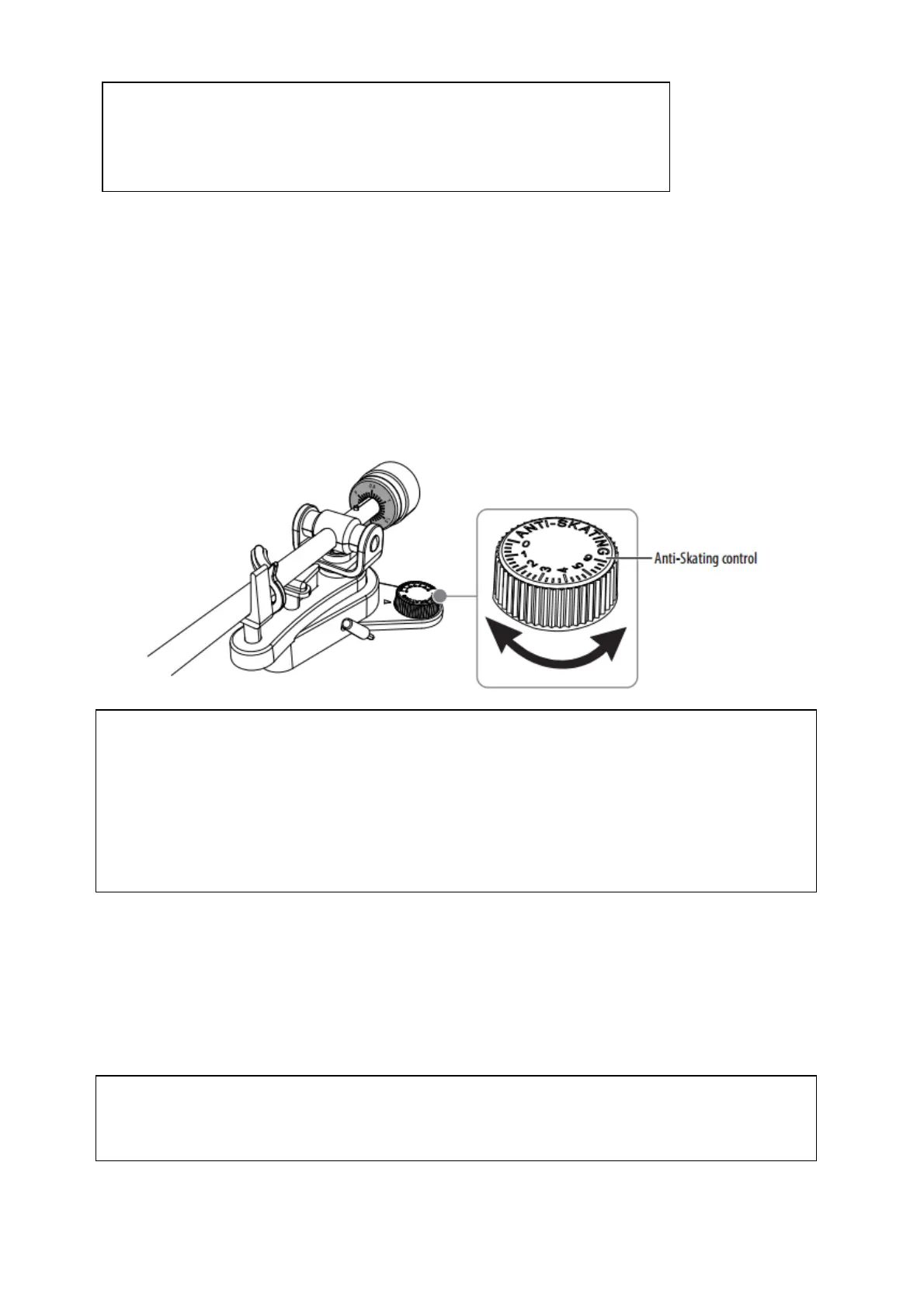
Adjusting the anti-skating control
When a record is playing, a small inward force (might cause skating) pull the tone arm towards
the center of the record. To counteract this inward force, you can adjust the anti-skating
control to apply an outward force (anti-skating).
Normally you should set anti-skating compensation to its minimum setting. If the turntable is
experiencing excessive skipping while nearing the center spindle, try increasing the anti-skating.
Start by adding an increment of 1, and then test its performance. If needed, you can increase
and test by one increment at a time.
Enjoying your sound experience
Needle pressure impacts your sound experience and is controlled by the counterweight. You
can adjust it to fit your personal preference. Reduce it to bring out rich bass in your music
selections or increase it to bring out higher frequencies. See Attaching and adjusting the
counterweight.
CAUTIONS:
1. Do not remove or bend the stylus.
2. Do not touch the needle to avoid injury your hand.
3. Keep out of reach of children.
Notes:
1. When you adjust the Anti-Skating knob, leave the tone arm and balance weight alone to
prevent damaging the stylus needle.
2. If a record can’t playback entire tracks, we recommend you reset the anti-skating control
to 0 (zero).
3. In case of substantial use of back-cueing, scratching, or reverse-direction operation, you
may prefer to use less, or no, anti-skate compensation.
Note:
After adjusting the counterweight, you may need to adjust the anti-skating force. See
Adjusting the anti-skating control.



 To Next Page