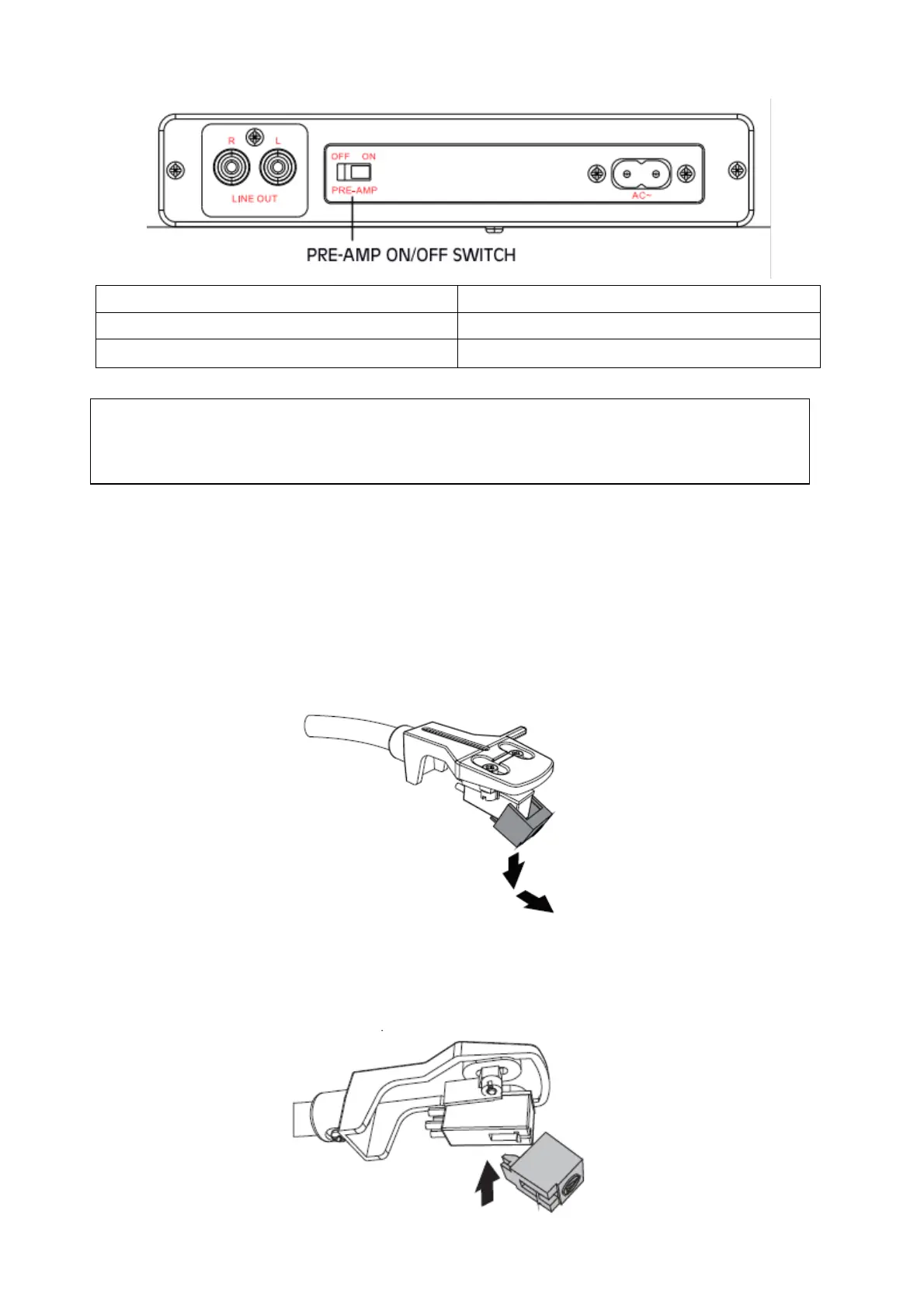
3. Toggle the PRE-AMP ON/OFF switch to select the output mode.
Device without PHONE input
Replacing the stylus
The stylus should last about 300 hours under normal use. However, it is recommended that the
stylus be replaced as soon as you notice a change in sound quality. Prolonged use of a worn-out
stylus may damage the record.
1. Turn the RPM selector switch to OFF to turn off the power.
2. Remove the stylus by pulling it downward and forward at the same time.
3. Insert the new stylus upwards into the slot under the head, then push upward until the tip
locks into place.
Note:
1. Improper setting of PRE-AMP ON/OFF switch will lead to no sound or explosive sound.
2. Adjust the volume of the external speaker when using the RCA cable.



 To Next Page