- 16 - - 17 -
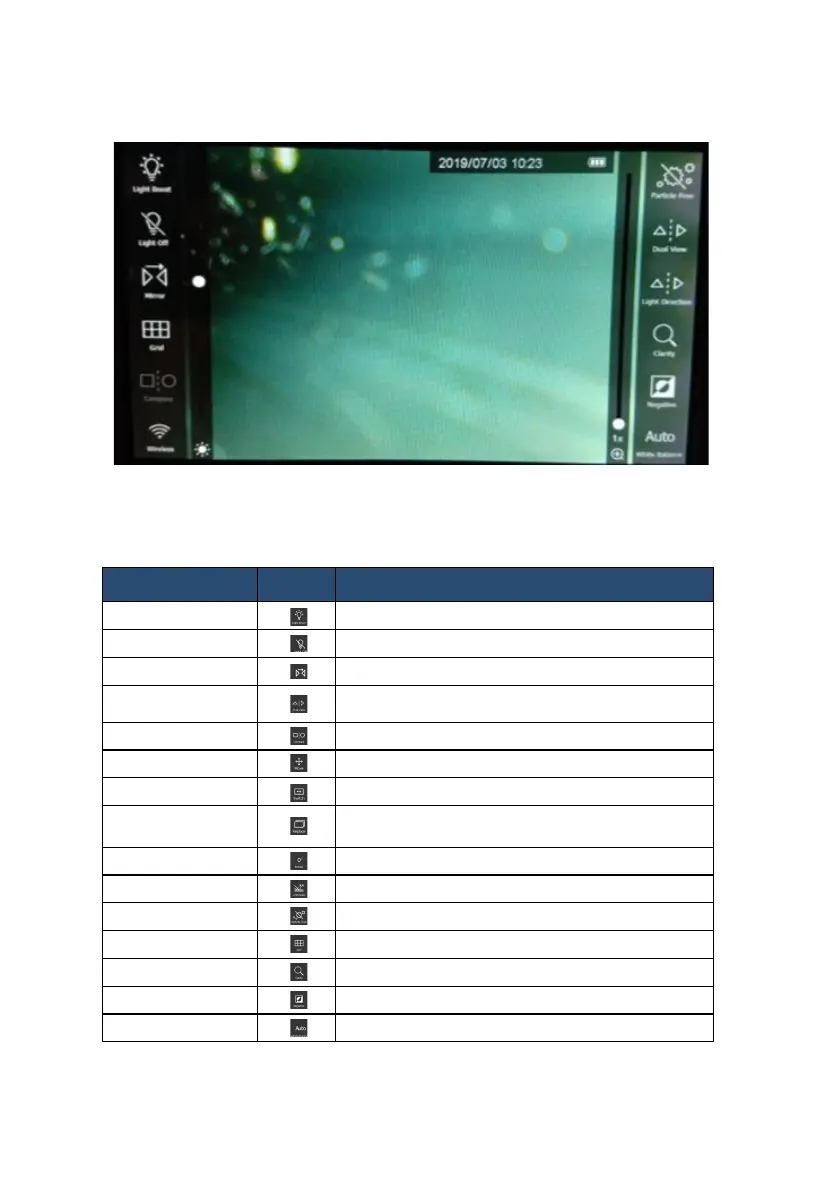
[Part III ] Touch-screen key functions
•
3.1 Function list
Function
Button Description
Boost Light enhanced Mode
Light Off LED off
Mirror Mirror image
Dual View
The screen will display both front view and side view
( when using dual view mirror )
Compare
Compare stored image with live view
Compare Move Moving the stored pic
Compare Switch Switching compared windows position
Compare Replace
Replace the photo in the comparison window from SD
card
Rotate Rotate image
Anti Glare Antireection
Particle Free Dust elimination ( when using side view mirror )
Grid To measure the size of object
Clarity Sharpening image edge
Negative
Image contrast
White Balance
Hue adjustment


 To Next Page