8-4
TROUBLESHOOTING GUIDE
The following troubleshooting guide describes potential problem causes and suggested
operator solutions. If the suggested actions do not resolve the problem, please contact
technical service.
Problem Suggestions/Solutions
No output power Check Handpiece Cable connections. Check
Electrode connection. Contact technical
service.
Generator resets during activation
(Fault Symbol 100.10)
Ensure no contact was made with other
equipment during activation. Check grounding
of Generator. Check Handpiece insulation.
Check integrity of Electrode.
Fault indicator illuminates Contact customer service.
Unable to activate the Generator Check footswitch for damage. Ensure correct
footswitch is connected.
Alarm tone too loud or too quiet Readjust volume using the mode switch.
Generator will remember the last volume
setting used.
Problem Suggestions/Solutions
No display on the Generator Request assistance from qualified service
engineer if fault persists. Check inlet fuses,
replace with correct type. See Service Manual
for fuse specifications. Contact customer
service if problem persists.
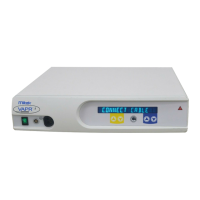
Generator displays
“CONNECT CABLE” symbol
when Handpiece Cable is inserted
Remove connector and inspect pins for
damage. Check that connector is fully
inserted. Check for damage to Cable.
Generator displays "INSERT ELECTRODE"
symbol after Electrode is inserted
Ensure the connector contacts are clean
and dry and have not been damaged during
reprocessing.
Check Electrode integrity.
Ensure that only DePuy Mitek approved
Electrodes are being used
Generator overheats
(Fault Symbol 300.10)
Ensure ambient temperature is within
operating limits. Allow Generator to cool down
before re-use. Check sufficient ventilation
provided around Generator.
Accessory Fault
(Fault Symbol 300.14)
Contact may have been made with other
equipment during activation such as the
scope or other instrumentation. Note, this may
also occur when activation occurs in close
proximity to such instruments.
Remove the electrode from the joint and
inspect the accessories for damage.
Check the accessories by activating the
electrode immersed in irrigating fluid contained
in a bowl, or similar, remote from patient
contact before proceeding with surgery.
If the fault recurs, first replace the electrode
and check as above. If the fault remains,
replace the handpiece and check as above.
If the fault continues, contact DePuy Mitek
Customer Service.



 To Next Page