6
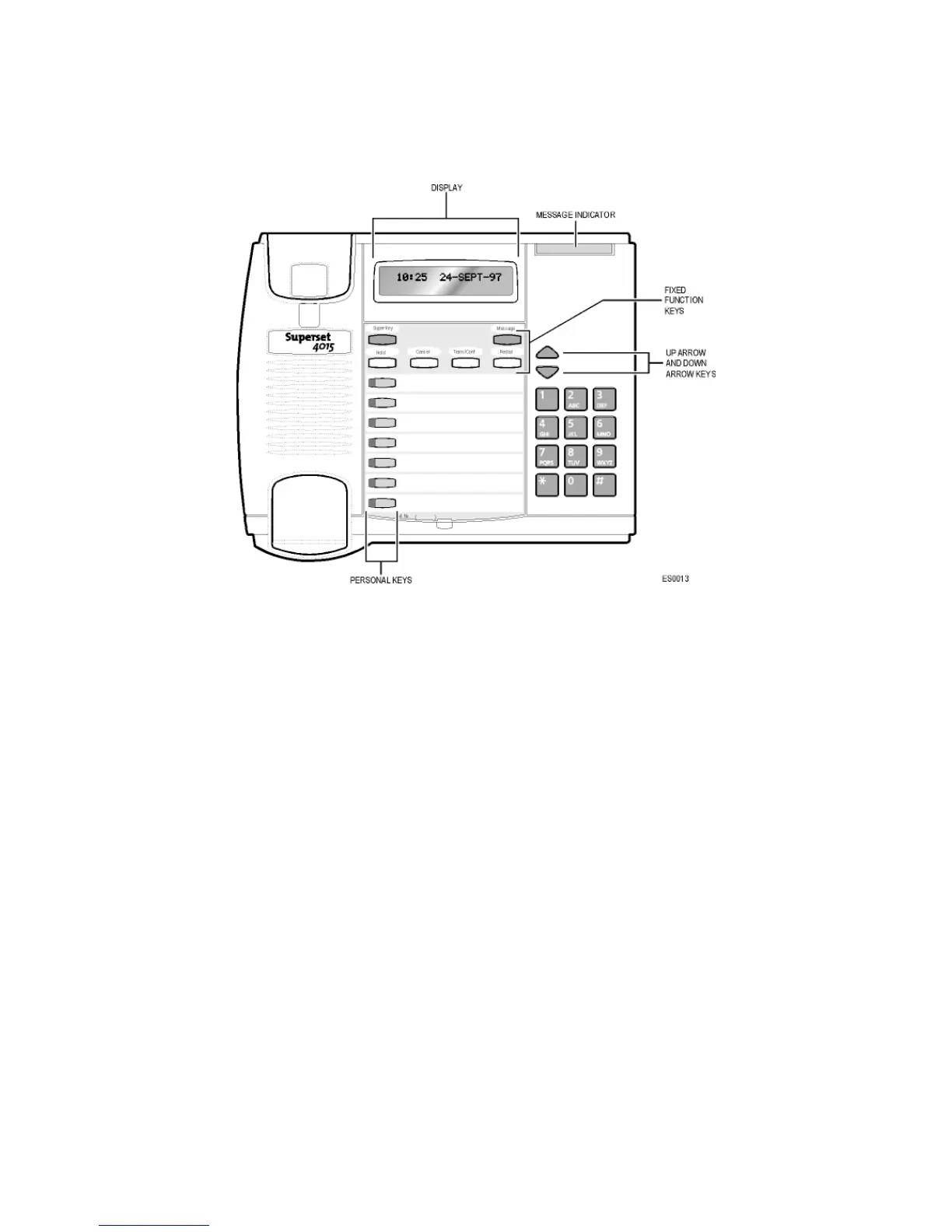
About Your SUPERSET 4015 Telephone
Personal Keys
At the bottom of your SUPERSET 4015 telephone is a row of Personal Keys. The
bottom Personal Key is your Prime Line, the telephone line that you will usually
use. Your extension number is the number of your Prime Line.
Other Personal Keys can be programmed by you as Speed Call Keys, or by your
System Administrator as Line Select or Feature keys.
Line Select Keys/Line Appearances
Your SUPERSET 4015 telephone can accommodate up to seven lines, including
your Prime Line (your listed number). Your Prime Line always appears at bottom
Personal Key. Other Personal Keys can be programmed as Line Select Keys.
Line appearances on your set may be used as separate telephone lines or
shared with other extension users. However, you cannot intrude on any
conversation that they are having without their permission, and they cannot
intrude on any conversation you are having without your permission.
Contact your System Administrator to have Line Select Keys programmed for
your set.













 To Next Page