EasyManua.ls Logo

Mitsubishi Electric FX3G - User Manual

Mitsubishi Electric FX3G
532 pages
Print Icon
To Next Page IconTo Next Page
Loading...
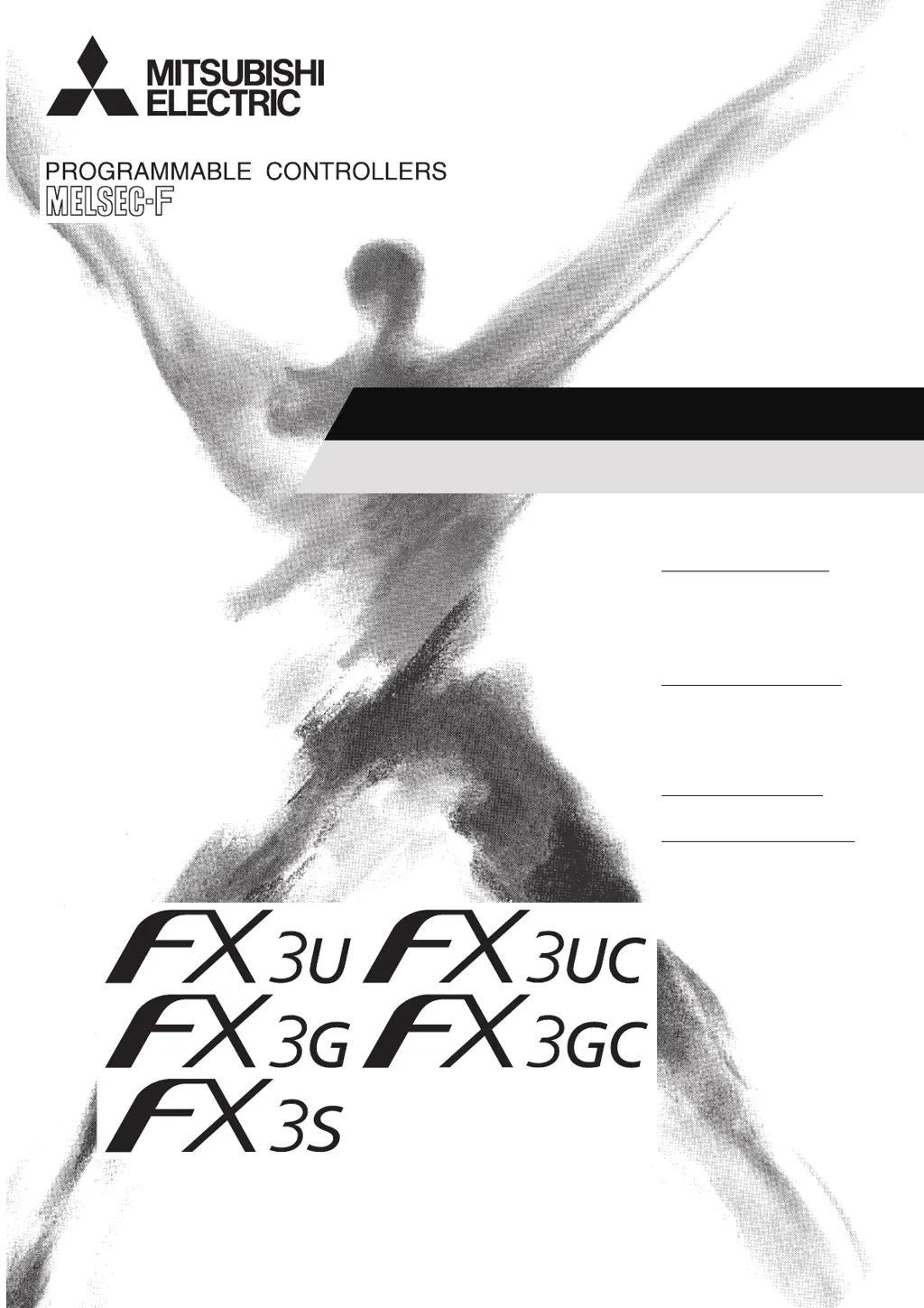
USER'S MANUAL
Analog Control Edition
FX
3S
/FX
3G
/FX
3GC
/FX
3U
/FX
3UC
SERIES PROGRAMMABLE CONTROLLERS
Voltage / Current Input
FX3G-2AD-BD
FX3U-4AD
FX3U-4AD-ADP
FX3UC-4AD
Voltage / Current Output
FX3G-1DA-BD
FX3U-4DA
FX3U-4DA-ADP
Voltage / Current
Input / Output Mixture
FX3U-3A-ADP
Temperature Sensor Input
FX3U-4AD-PT-ADP
FX3U-4AD-PTW-ADP
FX3U-4AD-PNK-ADP
FX3U-4AD-TC-ADP

Table of Contents

Other manuals for Mitsubishi Electric FX3G

Questions and Answers

  • E
    Erica CarterAug 13, 2025
    How to fix power supply error (b2) on Mitsubishi Electric Video Game Controller?
    • L
      Laura WhiteAug 13, 2025
      If you encounter a power supply error (b2) with your Mitsubishi Electric Video Game Controller, it indicates that the 24 V power is not being supplied properly. To resolve this, check the wiring condition and ensure the supplied voltage is correct.
  • C
    Chase OchoaAug 16, 2025
    What to do if A/D conversion error (b4) occurs on Mitsubishi Electric FX3G Video Game Controller?
    • R
      Ricky TorresAug 17, 2025
      If you are experiencing an A/D conversion error (b4) with your Mitsubishi Electric Video Game Controller, it means the A/D conversion value is abnormal. To fix this, check the over-scale status data (BFM#28) to find the error channel and then verify that the input analog data is within the specified range.
  • A
    Alyssa RichmondAug 20, 2025
    How to resolve averaging time setting error (b10) on Mitsubishi Electric FX3G?
    • E
      Edgar BeanAug 20, 2025
      If you encounter an averaging time setting error (b10) on your Mitsubishi Electric Video Game Controller, it means the averaging time (BFM#2 to #5) is not set correctly. To resolve this, set the averaging time again within the range of 1 to 4095.
  • S
    Sarah SandersAug 23, 2025
    What causes digital filter setting error (b11) in Mitsubishi Electric FX3G and how to fix it?
    • A
      Antonio PooleAug 25, 2025
      If you are getting a digital filter setting error (b11) on your Mitsubishi Electric Video Game Controller, it indicates that the digital filter value (BFM#6 to #9) is not set correctly. Reset the digital filter value within the range of 0 to 1600. Also, make sure that averaging is not set for the selected channel.
  • N
    Nathan AyalaAug 27, 2025
    How to fix upper/lower limit detection setting error (b13) on Mitsubishi Electric Video Game Controller?
    • D
      David KentAug 27, 2025
      If you're seeing an upper/lower limit detection setting error (b13) on your Mitsubishi Electric Video Game Controller, it means the lower limit error detection value (BFM#71 to #74) or the upper limit error detection value (BFM#81 to #84) is not set correctly. Check that the upper/lower limit error detection value is within the specified range for the selected input mode; correct it if it's out of range.
  • C
    Courtney JonesAug 31, 2025
    What to do for abrupt change detection value setting error (b12) on Mitsubishi Electric FX3G?
    • D
      Dennis LeeAug 31, 2025
      If you're experiencing an abrupt change detection value setting error (b12) with your Mitsubishi Electric Video Game Controller, it means the abrupt change detection value (BFM#91 to #94) is not set correctly. Check that the abrupt change detection value is within the range specified for the selected input mode, and correct it if it is out of range.
  • K
    kathleen86Sep 4, 2025
    Why am I getting addition data setting error (b15) on my Mitsubishi Electric FX3G?
    • K
      kristyramosSep 4, 2025
      If you're encountering an addition data setting error (b15) on your Mitsubishi Electric Video Game Controller, it means that the addition data (BFM#61 to #64) is not set correctly. Reset the addition data within the range of -16000 to +16000.
  • L
    Lee CastilloSep 8, 2025
    What causes BFM reading/writing impossible error (b6) on Mitsubishi Electric FX3G Video Game Controller?
    • D
      deborah82Sep 8, 2025
      If you find that BFM reading/writing is impossible (b6) on your Mitsubishi Electric Video Game Controller, it means that while voltage input characteristics are being changed, this bit will turn on. If this bit (b6) is on, A/D conversion data cannot be read out correctly or cannot be written to the BFM correctly. You should check the sequence program and confirm that the input characteristics (BFM#21 b0 to b3) are not being written continuously.

Summary

Safety Precautions

1. DESIGN PRECAUTIONS

Details design precautions for safe system operation, including emergency stop circuits and interlocks.

2. WIRING PRECAUTIONS

Provides crucial precautions for wiring, including power supply cutoff, grounding, and noise prevention.

3. STARTUP AND MAINTENANCE PRECAUTIONS

Covers precautions for starting up, operating, and maintaining the PLC safely.

A. Common Items

4. Comparison of Performance Specifications

Compares performance specifications of analog products to help select the optimal product for equipment.

B. FX3 U-4 AD (4-channel Analog Input)

C. FX3 U-4 AD-ADP (4-channel Analog Input)

D. FX3 G-2 AD-BD (2-channel Analog Input)

E. FX3 U-4 DA (4-channel Analog Output)

9. Troubleshooting

Covers troubleshooting methods and error statuses for the FX3U-4DA.

F. FX3 U-4 DA-ADP (4-channel Analog Output)

G. FX3 G-1 DA-BD (1-channel Analog Output)

H. FX3 U-3 A-ADP (2-channel Analog Input, 1-channel Analog Output)

I. FX3 U-4 AD-PT-ADP (4-channel Platinum Resistance Thermometer Data Input)

J. FX3 U-4 AD-PTW-ADP (4-channel Platinum Resistance Thermometer Data Input)

K. FX3 U-4 AD-PNK-ADP (4-channel Resistance Thermometer Data Input)

L. FX3 U-4 AD-TC-ADP (4-channel Thermocouple Data Input)

5. Troubleshooting

Covers troubleshooting methods and error statuses for the TC-ADP.

M. PID Instruction (FNC 88)

4. Auto-Tuning

Describes the auto-tuning function to automatically set constants for optimum PID control.

6. Troubleshooting

Covers troubleshooting for PID instruction, including error codes.

Mitsubishi Electric FX3G Specifications

General IconGeneral
BrandMitsubishi Electric
ModelFX3G
CategoryVideo Game Controller
LanguageEnglish

Related product manuals