EasyManua.ls Logo

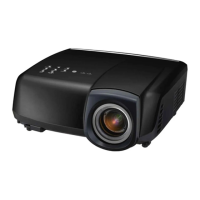
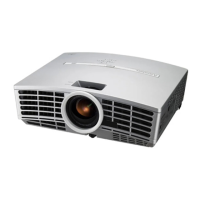
Mitsubishi Electric HC3000 - User Manual

Mitsubishi Electric HC3000
40 pages
Print Icon
To Next Page IconTo Next Page
Loading...
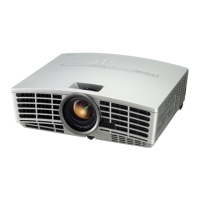
HC3000
DLP™ PROJECTOR
MODEL
HC3000
User Manual
ENGLISH
This User Manual is important to you.
Please read it before using your projector.

Other manuals for Mitsubishi Electric HC3000

Questions and Answers

  • N
    nallenJul 30, 2025
    What to do if projected images suddenly disappear on Mitsubishi Electric HC3000?
    • C
      Clayton LopezJul 30, 2025
      If projected images suddenly disappear on your Mitsubishi Electric Projector, it could be due to blocked intake and/or exhaust vents. Remove any obstructions. If the STATUS indicator is steady red, the lamp should be replaced.
  • J
    Joanna McfarlandAug 5, 2025
    Why does no image appear on my Mitsubishi Electric HC3000 Projector?
    • C
      Christina WhiteAug 5, 2025
      If no image appears on the screen of your Mitsubishi Electric Projector: * Ensure the lens cap is removed. * Allow about one minute for the lamp to light up. * If the lamp fails to light up, wait a few minutes and try again. * Ensure the intake vent is clean. * Set SCART INPUT in the FEATURE menu to OFF. * Ensure the lamp cover is closed. * Check that the cables connected to external devices are not broken. * If using an extension cable, replace it with the supplied cable to check. If images are then displayed correctly, add an RGB signal amplifier to the extension cable. * Check the operation manual of the video device for its connection.
  • C
    colemanlisaAug 11, 2025
    What to do if "TEMPERATURE!!" is displayed on Mitsubishi Electric HC3000 Projector?
    • D
      david80Aug 11, 2025
      If "TEMPERATURE!!" is displayed on your Mitsubishi Electric Projector, it indicates a high ambient temperature or a blocked air inlet or outlet grille. Eliminate any causes of the rise in ambient temperature and remove any objects blocking the air inlet or outlet grille. Also, clean the filter if it is clogged.
  • J
    Jeffrey HarrisAug 17, 2025
    How to fix Mitsubishi Electric Projector remote control that doesn't function?
    • J
      Jeffrey HarrisonAug 17, 2025
      If the remote control for your Mitsubishi Electric Projector doesn't function, check that the batteries are correctly loaded and not weak. Also, ensure the remote control sensor isn't exposed to direct sunlight or fluorescent light. Use the remote control within its operation range and at least 10 cm away from the projector.
  • D
    Danielle FosterAug 25, 2025
    What to do if the menu can't be used on Mitsubishi Electric Projector?
    • M
      Meredith HowardAug 25, 2025
      If the menu can't be used on your Mitsubishi Electric Projector, it may be due to microcomputers operating incorrectly because of noise. Turn off the lamp by pressing the POWER button, unplug the power cord from the wall outlet, wait about 10 minutes, plug the power cord back in, and try again.

Summary

Important Safeguards

Preparing Your Projector

Using the Remote Control

Setting Up Your Projector

Screen Setup and Basic Projection

Instructions for installing the screen and determining initial projection distance.

Projection Angle and Trapezoid Adjustment

Guide for adjusting the projector's angle and correcting trapezoidal image distortion.

Projection Distance and Screen Size

Screen Size and Projection Distance Charts

Tables detailing projection distances for various screen sizes and aspect ratios.

Viewing Video Images

Connecting to Video Equipment

General guidance on connecting the projector to various video sources.

Video Input Connections

Connecting to Video Players

Instructions for connecting standard video players via composite or S-video.

Connecting to DVD;HDTV Decoders

Guide for connecting devices with component video output.

High-Definition Video Connections

HDMI and DVI-D Connections

How to connect high-definition video sources using HDMI or DVI-D.

Powering the Projector

Plugging in the Power Cord

Proper procedure for connecting and using the projector's power cord.

Projecting Images

Initial Projection Setup

Steps to power on the projector and select the input source for projection.

Image Projection Control

Stopping Projection

How to properly turn off the projector and its lamp.

Keystone Distortion Correction

Adjusting the projector to correct image shape distortion.

Viewing Computer Images

Projecting Images with Computer Input

Menu Operation

Menu System Overview

Introduces the main menu categories: IMAGE, INSTALLATION, FEATURE, and SIGNAL.

Adjusting Projected Images

Adjusting Brightness (Contrast;Brightness)

Guide for modifying image brightness and contrast levels.

Adjusting Color (Color;Tint)

Instructions for adjusting color intensity and hue.

Advanced Image Adjustments

Adjusting Color Tone and Gamma

Fine-tuning white balance (color temperature) and image gamma.

Computer Image Display Adjustments

Computer Image Adjustment Menu

Using the SIGNAL menu to fix computer image display issues like flicker or displacement.

Advanced Features

Password Function

How to enable and use the projector's password protection for security.

Using Filter

Replacing the Lamp

Projector Maintenance

How to Replace the Lamp

Step-by-step guide for safely removing and installing the projector lamp.

Troubleshooting

Troubleshooting Other Issues

Covers common problems like exhaust vents, menu access, temperature warnings, and remote control issues.

Indicators

Specifications

Mitsubishi Projector Contact Information

Mitsubishi Electric HC3000 Specifications

General IconGeneral
BrandMitsubishi Electric
ModelHC3000
CategoryProjector
LanguageEnglish

Related product manuals