EasyManua.ls Logo

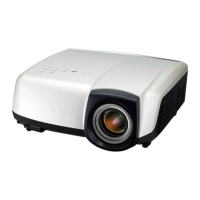
Mitsubishi Electric HC4900 - User Manual

Mitsubishi Electric HC4900
45 pages
Print Icon
To Next Page IconTo Next Page
Loading...
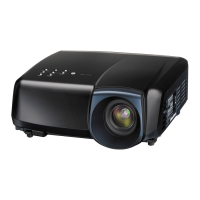
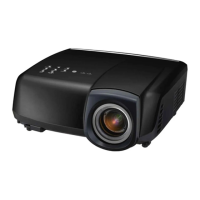
LCD PROJECTOR
This User Manual is important to you.
Please read it before using your projector.
MODEL
HC4900
User Manual
HC4900

Other manuals for Mitsubishi Electric HC4900

Questions and Answers

  • D
    Daniel PopeSep 23, 2025
    What to do if Mitsubishi Electric HC4900 Projector remote control doesn’t function?
    • D
      David PerezSep 23, 2025
      If the remote control for your Mitsubishi Electric Projector isn't working well, first, make sure the batteries are correctly installed and not weak. Avoid exposing the remote control sensor to direct sunlight or fluorescent light. Use the remote within its specified operation range and keep it at least 10 cm away from the projector.
  • E
    Eric TaylorAug 23, 2025
    What to do if my Mitsubishi Electric HC4900 Projector says 'No Signal'?
    • M
      Melanie HernandezAug 25, 2025
      If your Mitsubishi Electric Projector displays 'NO SIGNAL', try these steps: First, ensure that the connected device is powered on and functioning correctly. Check that the external device is outputting signals, especially if it's a notebook computer. Verify that the cable connecting the projector to the external device isn't defective and is connected to the correct terminals. Also, confirm that the connected device is correctly selected as the input source. If you're using an extension cord, replace it with the supplied cable to see if that resolves the issue; if it does, use an RGB signal amplifier with the extension cord.
  • C
    churchkristinaAug 25, 2025
    Why does my Mitsubishi Electric Projector power turn off?
    • N
      Nancy FrenchAug 26, 2025
      Your Mitsubishi Electric Projector might be turning off due to a few reasons. It could be that the intake and/or exhaust vents are blocked; if so, remove any obstructions, wait for the fans to stop (until the STATUS indicator goes out), unplug the power cord, wait 10 minutes, plug it back in, and press the POWER button. If the STATUS indicator is steady red, the lamp needs replacing. Also, ensure that AUTO POWER OFF is set to OFF. Finally, if the lamp is old, it may be failing after a short time of use.
  • D
    Douglas MooreAug 27, 2025
    How to resolve blurred projected images on Mitsubishi Electric HC4900 Projector?
    • C
      chloeturnerAug 27, 2025
      To fix blurred projected images on your Mitsubishi Electric Projector, try these steps: Adjust the focus. Clean the lens. Press the W or X button on the remote control to eliminate flicker. Adjust TRACKING and FINE SYNC in the SIGNAL menu. Adjust BRIGHTNESS and CONTRAST in the IMAGE menu. Ensure the projector and screen are perpendicular to each other.
  • J
    Jacqueline SalinasAug 27, 2025
    Why is my Mitsubishi Electric Projector remote control not working?
    • K
      kgallegosAug 27, 2025
      If your Mitsubishi Electric Projector remote control isn’t working well or at all, check these things: Make sure the batteries are correctly loaded and not weak. Ensure the remote control sensor isn’t exposed to direct sunlight or fluorescent light. Use the remote control within its operational range and keep it at least 10 cm away from the projector.
  • S
    stacy35Sep 15, 2025
    Why are only the motion areas in the images supplied from the computer not displayed on my Mitsubishi Electric HC4900?
    • D
      Deanna LoveSep 15, 2025
      This is caused by the computer being used. Contact the manufacturer of your computer.
  • S
    Steven MillerSep 12, 2025
    Why do red, blue, green, or black dots appear in projected images from my Mitsubishi Electric Projector?
    • G
      gcamposSep 12, 2025
      This phenomenon is unique to LCD projector and isn’t a product malfunction. A small number of pixels always stay on or off, which are not malfunctions. More than 99.99% of the pixels are effective.
  • M
    murphydeniseSep 14, 2025
    Why do the exhaust vents emit warm air from my Mitsubishi Electric HC4900 Projector?
    • D
      Dylan MartinSep 14, 2025
      This air comes out after cooling the inside of the projector. You may feel hot, but this is not a malfunction.
  • B
    Bryan SmithSep 5, 2025
    Why are there fine streaks on the projected images of my Mitsubishi Electric HC4900 Projector?
    • J
      Jeremy JacksonSep 5, 2025
      Fine streaks on projected images from your Mitsubishi Electric Projector may be due to interference with the screen surface. This isn't a malfunction; try replacing the screen or slightly displacing the focus. Also, vertical or horizontal streak noise may appear depending on the DVD player or game console you use; in such cases, you can reduce the noise by enabling the LPF.
  • T
    Theodore SwansonSep 2, 2025
    How to fix distorted projected images on my Mitsubishi Electric HC4900?
    • Q
      qmcdanielSep 3, 2025
      To correct distorted projected images on your Mitsubishi Electric Projector, adjust the projector and the screen so that they are perpendicular to each other.

Summary

Safety Precautions

Electrical Safety Warnings

Describes risks of electric shock, internal hazards, and user serviceability limitations.

General Usage and Environmental Safety

Covers warnings related to moisture, power cord usage, grounding, lens viewing, and installation environment.

Important Safeguards

Operating and Safety Instructions

Provides comprehensive guidelines on reading, retaining, and following all safety and operating instructions.

Setting Up Your Projector

Screen Setup and Image Positioning

Guides on screen installation, lens shift adjustment, and projection angle correction.

Viewing Video Images

Connecting Video Sources

Instructions for connecting various video devices via Composite, S-Video, Component, HDMI, and DVI.

Viewing Computer Images

Connecting and Projecting Computer Signals

Guides for analog (RGB) and digital (DVI) computer connections and projection.

Adjusting Projected Images

Brightness, Contrast, Color, and Sharpness Adjustments

Guides on modifying image brightness, contrast, color intensity, and sharpness via menu.

Replacing the Lamp

Lamp Replacement Guidelines and Procedure

Covers lamp lifespan, warnings, and step-by-step instructions for replacement.

Troubleshooting

Power, Image Display, and Image Quality Issues

Addresses common problems like no power, no image, and image quality distortions.

Mitsubishi Electric HC4900 Specifications

General IconGeneral
Resolution1920 x 1080
Zoom Ratio1.6x
Display TechnologyLCD
Projection Size40 - 300 in
InputsHDMI, Component, VGA
Lens ShiftVertical: ±60%, Horizontal: ±23%

Related product manuals