EasyManua.ls Logo

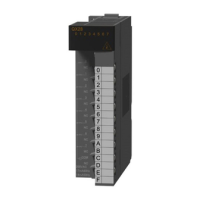
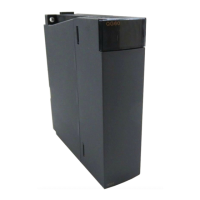
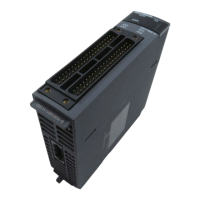
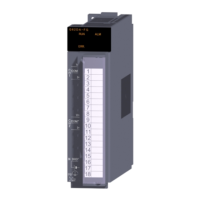
Mitsubishi Electric QX42 - User Manual

Mitsubishi Electric QX42
158 pages
Print Icon
To Next Page IconTo Next Page
Loading...
I/O Module Type Building Block
User's Manual
QX10 QY10
QX10-TS QY10-TS
QX28 QY18A
QX40 QY22
QX40-S1 QY40P
QX40-TS QY40P-TS
QX40H QY41H
QX41 QY41P
QX41-S1 QY42P
QX41-S2 QY50
QX42 QY68A
QX42-S1 QY70
QX50 QY71
QX70 QY80
QX70H QY80-TS
QX71 QY81P
QX72 QY82P
QX80 QH42P
QX80-TS QX41Y41P
QX80H QX48Y57
QX81 QI60
QX81-S2
QX82
QX82-S1
QX90H

Table of Contents

Questions and Answers

  • J
    Jacob PottsAug 4, 2025
    What to do if an input signal does not turn off on my Mitsubishi Electric QX42?
    • R
      Richard JonesAug 4, 2025
      If an input signal on your Mitsubishi Electric Controller doesn't turn off, it could be due to a few reasons. One cause may be leakage current from the input switch. To resolve this, connect an appropriate resistor to ensure the voltage across the input module terminals is less than the off voltage. A CR constant of 0.1 to 0.47 F + 47 to 120? (1/2W) is recommended. Another cause could be driving the system with a limit switch that has a neon lamp. The solution is the same as above, or you could create an independent display circuit. Lastly, leakage current from the wiring cable's line capacity could be the problem. The solution is the same as the first example; however, leakage current is not generated when the power supply is located in the input equipment side.

Summary

Safety Precautions

Design Precautions

Details safety precautions for the design and implementation of the system.

Installation Precautions

Covers safe practices for installing modules and base units.

Wiring Precautions

Outlines essential safety steps for electrical wiring connections.

Startup and Maintenance Precautions

Provides safety guidelines for initial setup and ongoing upkeep.

General Specifications and Precautions for Use

Precautions for Use

Details safety precautions and guidelines for using I/O modules.

Installation and Wiring

Guidelines for correct installation and wiring procedures.

Input Module Specifications

Output Module Specifications

I;O Combined Module

Interrupt Module

Specifications of Connector;Terminal Block Converter Modules

Spring Clamp Terminal Block

I;O Module Troubleshooting

Input Circuit Troubleshooting

Explains common input circuit problems and their corrective actions.

Output Circuit Troubleshooting

Explains common output circuit problems and their corrective actions.

Mitsubishi Electric QX42 Specifications

General IconGeneral
CategoryController
Number of inputs32
Input voltage24 V DC
Weight0.2 kg
MountingDIN Rail
Number of input points32
Input current7mA
Connector typeTerminal Block

Related product manuals