- 7 -
4
4
OSD (On Screen Display)
FUNCTIONS
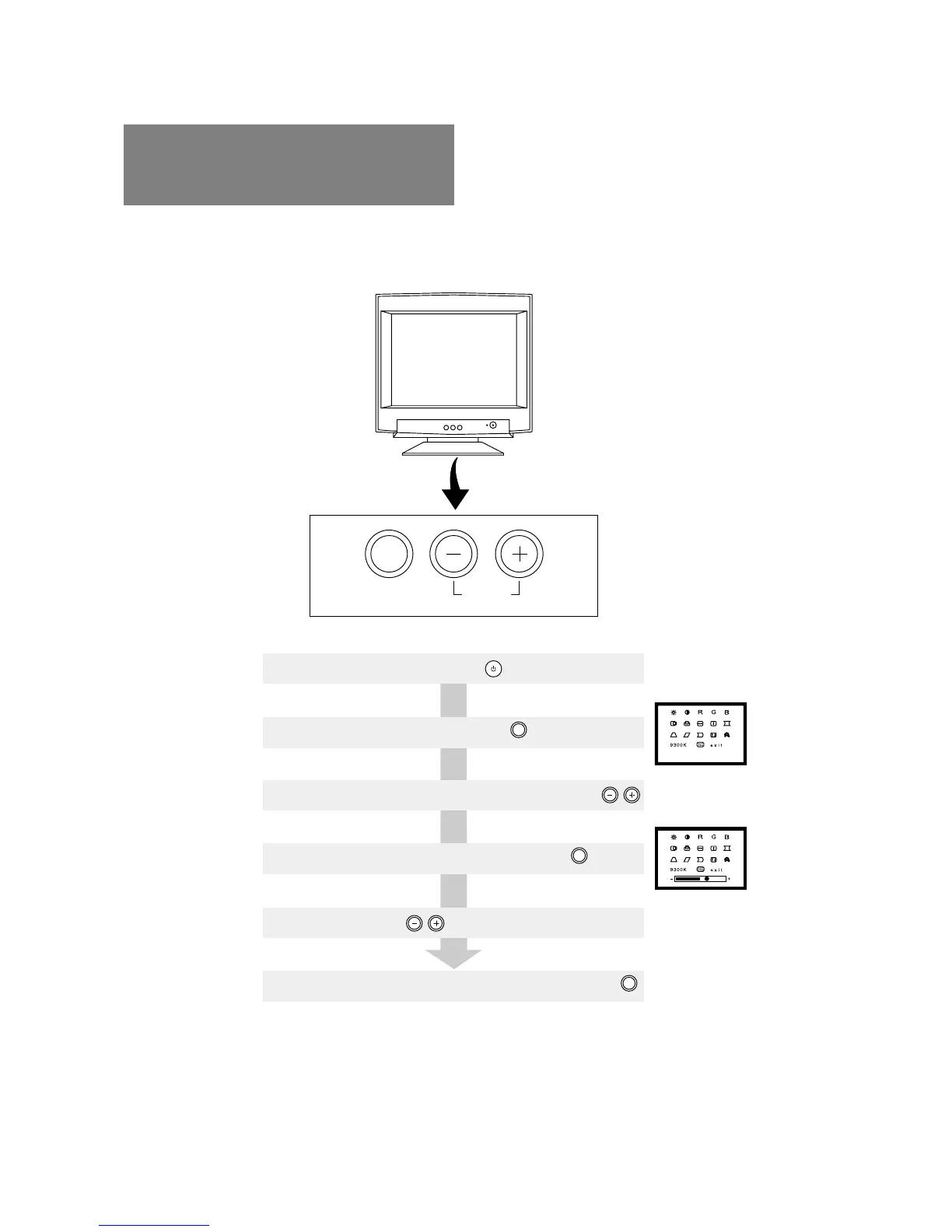
The monitor has an OSD(On Screen Display) function.
The following procedure shows how to adjust the screen using the OSD function.
4.1 How to adjust the screen
If you don't press a button during 10 seconds, the OSD will turn off automatically.
(3) Select the item icon on item select screen by pressing
(1) Turn on the monitor by pressing
(2) Display the OSD screen by pressing
(4) Display the item adjustment screen by pressing
(5) Adjust by pressing
(6) To turn the OSD screen off, select "exit" and press button
SELECT
RESET
SELECT
SELECT
SELECT



 To Next Page
 Loading...