- 14 -
4
4
OSD (On Screen Display)
FUNCTIONS
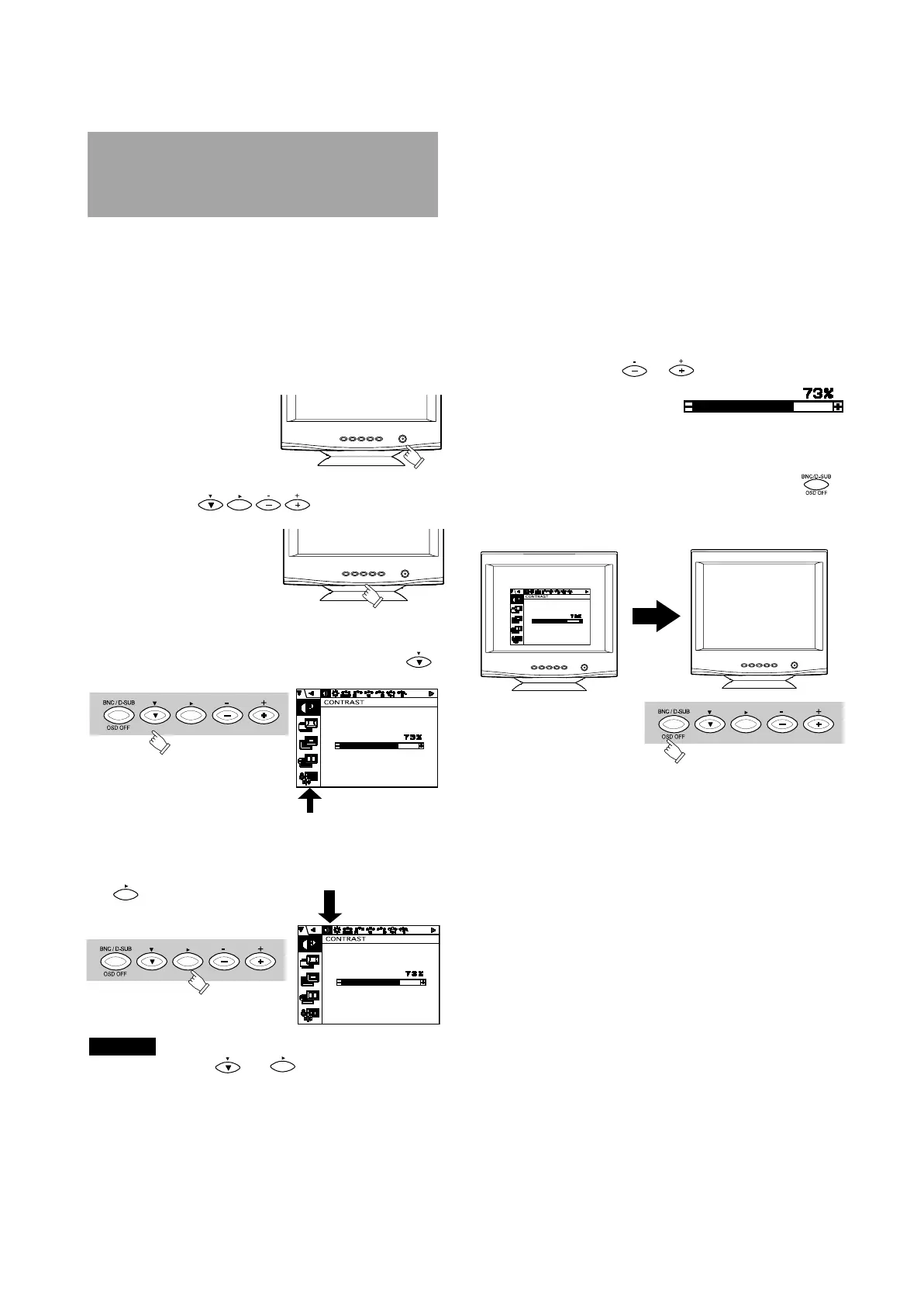
The monitor has an OSD(On Screen Display) function.
The following procedure shows how to adjust the screen
using the OSD function.
(1) Turn on the monitor.
(2) Press button to display the OSD
screen.
(3) Select the group icon on Main Menu by pressing .
(5)Adjust by pressing or button.
(6)If you don't press any button for about ten seconds,
the OSD screen will disappear.
The OSD can be turned off quickly by pressing
button.
When pressing both and buttons simultaneously,
moving direction of item selection becomes reverse.
NOTE
4.1 How to adjust the screen
Main Menu
Sub Menu
(4) Select the item icon on Sub Menu by pressing
button.



 To Next Page
 Loading...