EasyManua.ls Logo

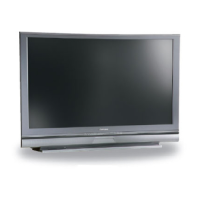
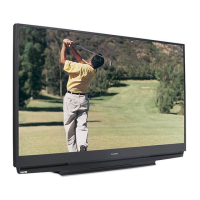
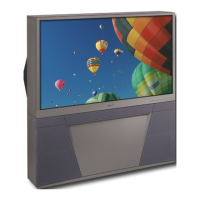
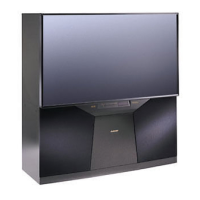
Mitsubishi WD-57833 - User Manual

Mitsubishi WD-57833
96 pages
Print Icon
To Next Page IconTo Next Page
Loading...
DLP 
®
 HIGH-DEFINITION TELEVISION
MODELS
WD-57833
WD-65833
WD-73833
OWNERS GUIDE
•  For questions:
-  Visit our website at www.mitsubishi-tv.com.
-  E-mail us at MDEAservice@mdea.com.
-  Call Consumer Relations at 800-332-2119.
•  For information on System Reset, please see the back cover.
•  To order replacement or additional remote controls, lamp cartridges, or Owner’s Guides, 
visit our website at www.mitsuparts.com or call 800-553-7278.
•  Guidelines for setting up and using your new widescreen TV start on page 11.
x.v.Color

Table of Contents

Other manuals for Mitsubishi WD-57833

Questions and Answers

Summary

DLP Television Overview and Setup

Models and Owners Guide

Lists supported television models (WD-57833, WD-65833, WD-73833) and document type.

Important Information and Safeguards

Covers installation notes, operating notes, cleaning recommendations, and general safety precautions.

Television Components and Features

Details the TV's physical components, video inputs, and special features like NetCommand.

Initial TV Setup Procedures

Guides users through getting started, powering on, language selection, and battery installation.

Connecting and Configuring External Devices

TV Connections Guide

Explains connecting various devices like HDMI, Component, S-Video, VCR, and antennas.

Computer and IEEE 1394 Device Connectivity

Details connecting personal computers via HDMI/DVI and using IEEE 1394 (FireWire) devices.

Antenna and Cable Box Connections

Covers connecting different antenna types and cable box hookups to the TV's inputs.

TV Operation and Menu Navigation

Basic TV Operation

Guides users on selecting viewing sources, using the sleep timer, and changing channels.

Remote Control Functions

Details all remote control buttons, their functions, and NetCommand capabilities.

Status Display and Favorites Management

Explains on-screen indicators, signal status, and managing favorite channels.

Display Formats and Split Screen

Covers picture aspect ratios, signal definitions, and multi-window viewing.

Menu Settings and Customization

AV and Video Menu Adjustments

Provides options to customize picture settings like color, contrast, and brightness.

Setup Menu Options

Covers language, channel scanning, clock, timer, energy modes, and lamp settings.

Inputs Menu and TV Guide On Screen Setup

Manages input names, order, and configures the TV Guide On Screen program guide.

Lock Menu and Parental Controls

Enables content blocking by ratings, time restrictions, and pass code management.

NetCommand and Recording Features

NetCommand Setup and Operation

Explains IR emitter placement and controlling external devices via NetCommand.

NetCommand for A;V Receiver Control

Guides users on setting up NetCommand to control A/V receiver power and audio.

NetCommand-Controlled Recording

Details scheduling and performing recordings using NetCommand features.

Troubleshooting, Maintenance, and Support

Lamp Replacement and Cleaning Procedures

Provides instructions for replacing the lamp cartridge and cleaning the air filter.

TV Troubleshooting Guide

Addresses common TV issues, reset functions, and indicator light meanings.

Service and Support Information

Offers contact details for service, parts ordering, and warranty information.

Remote Control Programming

Instructions for programming the TV remote to control other A/V devices.

Summary

DLP Television Overview and Setup

Models and Owners Guide

Lists supported television models (WD-57833, WD-65833, WD-73833) and document type.

Important Information and Safeguards

Covers installation notes, operating notes, cleaning recommendations, and general safety precautions.

Television Components and Features

Details the TV's physical components, video inputs, and special features like NetCommand.

Initial TV Setup Procedures

Guides users through getting started, powering on, language selection, and battery installation.

Connecting and Configuring External Devices

TV Connections Guide

Explains connecting various devices like HDMI, Component, S-Video, VCR, and antennas.

Computer and IEEE 1394 Device Connectivity

Details connecting personal computers via HDMI/DVI and using IEEE 1394 (FireWire) devices.

Antenna and Cable Box Connections

Covers connecting different antenna types and cable box hookups to the TV's inputs.

TV Operation and Menu Navigation

Basic TV Operation

Guides users on selecting viewing sources, using the sleep timer, and changing channels.

Remote Control Functions

Details all remote control buttons, their functions, and NetCommand capabilities.

Status Display and Favorites Management

Explains on-screen indicators, signal status, and managing favorite channels.

Display Formats and Split Screen

Covers picture aspect ratios, signal definitions, and multi-window viewing.

Menu Settings and Customization

AV and Video Menu Adjustments

Provides options to customize picture settings like color, contrast, and brightness.

Setup Menu Options

Covers language, channel scanning, clock, timer, energy modes, and lamp settings.

Inputs Menu and TV Guide On Screen Setup

Manages input names, order, and configures the TV Guide On Screen program guide.

Lock Menu and Parental Controls

Enables content blocking by ratings, time restrictions, and pass code management.

NetCommand and Recording Features

NetCommand Setup and Operation

Explains IR emitter placement and controlling external devices via NetCommand.

NetCommand for A;V Receiver Control

Guides users on setting up NetCommand to control A/V receiver power and audio.

NetCommand-Controlled Recording

Details scheduling and performing recordings using NetCommand features.

Troubleshooting, Maintenance, and Support

Lamp Replacement and Cleaning Procedures

Provides instructions for replacing the lamp cartridge and cleaning the air filter.

TV Troubleshooting Guide

Addresses common TV issues, reset functions, and indicator light meanings.

Service and Support Information

Offers contact details for service, parts ordering, and warranty information.

Remote Control Programming

Instructions for programming the TV remote to control other A/V devices.

Mitsubishi WD-57833 Specifications

General IconGeneral
BrandMitsubishi
ModelWD-57833
CategoryProjection TV
LanguageEnglish

Related product manuals