EasyManua.ls Logo

Mitsubishi WD-52526 - User Manual

Mitsubishi WD-52526
80 pages
Print Icon
To Next Page IconTo Next Page
Loading...
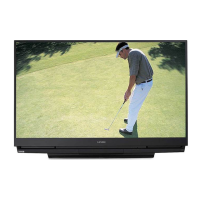
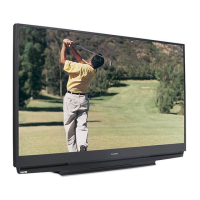
PROJECTION TELEVISION
MODELS
WD-52526
WD-62526
OWNERS GUIDE

Table of Contents

Questions and Answers

Summary

Mitsubishi Projection Television Owners Guide

Important Information About Your TV

Setup and Initial Use Guidelines

Step-by-step guide for initial setup, connection, and basic operation of the new widescreen TV.

Safety Precautions and Operating Notes

Crucial safety warnings, installation notes, operating notes, and precautions.

Important Safeguards

General Safety Guidelines (1-11)

Covers electrical safety, cleaning, ventilation, power, lightning, and other critical operational safety guidelines.

General Safety Guidelines (12-20)

Continues safety instructions covering power lines, overloading, servicing, replacement parts, and heat precautions.

Appendices

Appendix A: V-Chip Lock Bypass

Instructions for bypassing the V-Chip lock and deactivating the front button lock.

Appendix B: Remote Control Programming

Guide to programming the remote control to operate various audio/video equipment and their functions.

Appendix F: Lamp Cartridge Replacement

Procedure for replacing the TV's lamp cartridge, including ordering and safety precautions.

Appendix G: Troubleshooting, System Reset, Demo Mode, Service & Support

Common TV issues, solutions, system reset, demo mode, service contacts, and support information.

Chapter 1: Television Overview

Remote Control Overview

Overview of the remote control buttons, functions, and battery installation.

Chapter 2: Connecting Devices

Chapter 3: TV Operation

Chapter 4: TV Menu Operations

Captions and V-Chip Lock Menu

Customizing closed captions and setting up parental controls with V-Chip and time locks.

Limited Warranty Information

Summary

Mitsubishi Projection Television Owners Guide

Important Information About Your TV

Setup and Initial Use Guidelines

Step-by-step guide for initial setup, connection, and basic operation of the new widescreen TV.

Safety Precautions and Operating Notes

Crucial safety warnings, installation notes, operating notes, and precautions.

Important Safeguards

General Safety Guidelines (1-11)

Covers electrical safety, cleaning, ventilation, power, lightning, and other critical operational safety guidelines.

General Safety Guidelines (12-20)

Continues safety instructions covering power lines, overloading, servicing, replacement parts, and heat precautions.

Appendices

Appendix A: V-Chip Lock Bypass

Instructions for bypassing the V-Chip lock and deactivating the front button lock.

Appendix B: Remote Control Programming

Guide to programming the remote control to operate various audio/video equipment and their functions.

Appendix F: Lamp Cartridge Replacement

Procedure for replacing the TV's lamp cartridge, including ordering and safety precautions.

Appendix G: Troubleshooting, System Reset, Demo Mode, Service & Support

Common TV issues, solutions, system reset, demo mode, service contacts, and support information.

Chapter 1: Television Overview

Remote Control Overview

Overview of the remote control buttons, functions, and battery installation.

Chapter 2: Connecting Devices

Chapter 3: TV Operation

Chapter 4: TV Menu Operations

Captions and V-Chip Lock Menu

Customizing closed captions and setting up parental controls with V-Chip and time locks.

Limited Warranty Information

Mitsubishi WD-52526 Specifications

General IconGeneral
BrandMitsubishi
ModelWD-52526
CategoryProjection TV
LanguageEnglish

Related product manuals