EasyManua.ls Logo

MK Sound MX-1000 - User Manual

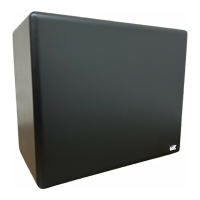
MK Sound MX-1000
16 pages
Print Icon
To Next Page IconTo Next Page
Loading...
Miller & Kreisel Sound Corporation
10391 Jefferson Boulevard
Culver City, CA 90232 USA
(310) 204-2854 FAX (310) 202-8782
© 1994 MILLER & KREISEL SOUND CORP.
operation
manual
MX-SERIES: MX-2000, MX-1000, MX-1000cc,
MX-100, MX-90, MX-80, MX-70
V-SERIES: V-125, V-100, V-90, V-1B,
V-2B, V-3B, VX-4, VX-7
powered subwooferspowered subwoofers
powered subwoofers

Questions and Answers

Summary

Safety Instructions and Precautions

General Safety and Operating Guidelines

Covers instructions, warnings, attachments, water, accessories, power source, overloading, and liquid entry.

Servicing, Replacement, and Heat Safety

Covers servicing, damage requiring service, replacement parts, safety checks, and heat precautions.

Introduction

Subwoofer Placement Recommendations

Wall Clearance and Sunlight Avoidance

Ensure clearance from walls and avoid direct sunlight exposure for optimal performance.

Proximity to Heaters and Environment

Avoid placement near heating outlets and do not use in outdoor or humid environments.

Subwoofer Connection Methods

Standard Amplifier Speaker Wire Hook-up

Connect receiver/amplifier using speaker wires for common hook-up.

Surround Sound System Hook-up Note

Set Center Channel switch to NORMAL mode in Pro-Logic for proper bass.

Satellite Speaker Wiring Option 1

Connect satellite speakers directly to the subwoofer for convenience.

V-125 High-Level High-Pass Filter Use

Filter usage on V-125 to reduce bass demand on main speakers.

Satellite Speaker Wiring Option 2

Connect satellite speakers directly to amplifier/receiver.

RCA Jack Input Wiring

Connect subwoofer to preamp-level components via RCA jacks for better bass quality.

High-Pass Filter Wiring (LP-1 S VF-100)

Use filters to improve system performance by filtering bass signal to main amp.

Plugging In the Subwoofer

Connect the AC cord after all wiring is complete, set Bass Level to MIN.

Satellite Subwoofer Phasing Test

Filter Control Usage

Using Two Subwoofers

Fine-Tuning Subwoofer Placement

Home Theatre Usage

Special Installation Notes

Installation for MX-2000, MX-100, MX-90, MX-80, V-100, V-90

Instructions for using spikes/feet for specific models.

Installation for MX-100, MX-90, MX-80, MX-70

Notes on inverted driver placement and susceptibility to booming.

MX-70 Specific Installation Details

Installation notes for MX-70, including grille removal and caps.

MX-1000 & MX-1000 cc TV Proximity Notes

Special installation notes for shielded models near TVs.

Troubleshooting Common Issues

No Subwoofer Output Diagnosis

Steps to diagnose and resolve no output issues.

Woofer Intermittent Operation

How to handle overheating protection circuit activation.

Low Output from Amplifier Terminals

Troubleshooting low output from amplifier terminals.

Weak Midbass Range Correction

Advice for weak midbass, referencing phasing test.

Preamp Input Connection Thump

Addressing thump from preamp input connection.

Hum or Buzz Elimination

Diagnosing and resolving hum or buzz issues.

Replacing the External Fuse

Replacement Fuse Values

Need Service Information

MK Sound MX-1000 Specifications

General IconGeneral
BrandMK Sound
ModelMX-1000
CategorySubwoofer
LanguageEnglish

Related product manuals