EasyManua.ls Logo

MK Sound MX-200 - User Manual

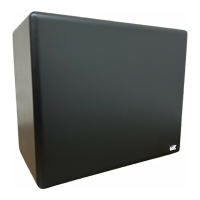
MK Sound MX-200
19 pages
Print Icon
To Next Page IconTo Next Page
Loading...
Miller & Kreisel Sound Corporation
10391 Jefferson Boulevard
Culver City, CA 90232 USA
(310) 204-2854 FAX (310) 202-8782
http:\\www.mksound.com
© 1998 Miller & Kreisel Sound Corp.
operation
manual
MX-700, MX-200,
MX-125 Mk II,
MX-105 Mk II, MX-70B
VX-100, V-125,
V-75 Mk II, VX-7 Mk II
powered subwoofers

Questions and Answers

  • C
    Cassandra HollowayAug 15, 2025
    How to stop MK Sound Subwoofer thump when turning on?
    • A
      anthonylunaAug 15, 2025
      If you hear a thump through your MK Sound Subwoofer every time you turn the system on while using the "FROM PREAMP" input terminals, switch to the speaker wire "FROM AMPLIFIER" input terminals. This thump is likely generated by the preamp, receiver, or surround sound processor.
  • C
    Courtney HernandezAug 27, 2025
    What to do if MK Sound MX-200 cuts out at high volume?
    • J
      jbrownAug 28, 2025
      If your MK Sound Subwoofer cuts out or becomes intermittent after prolonged operation at high volume, unplug the unit and let it sit for at least half an hour. After that time, plug it back in. It should operate normally. This may occur because, after hours of continuous operation at extremely high volume levels, a protection circuit may kill the power to the Subwoofer.
  • A
    Alexandra PopeSep 2, 2025
    Why is my MK Sound Subwoofer volume low when using amplifier terminals?
    • R
      robertmartinezSep 2, 2025
      If your MK Sound Subwoofer has very little output when using the "FROM AMPLIFIER" terminals, make sure that the input cables are in phase. Reverse the (+) and the ( — ) connections for ONE CHANNEL ONLY at the "FROM AMPLIFIER" terminals. If the problem remains, put the cables back as they were.
  • S
    Stephanie Schwartz DDSNov 8, 2025
    How to fix MK Sound MX-200 with no output?
    • A
      Autumn ChapmanNov 8, 2025
      If your MK Sound Subwoofer has no output, ensure it is plugged into an AC outlet. Check the "BASS LEVEL" control and make sure it is set above the "MIN" position, rotating it clockwise if needed. Examine the red LED on the Subwoofer's back panel. If it's unlit, check the AC fuse next to the LED (unplug the Subwoofer before changing the fuse) and replace the fuse if the element inside is broken. If the red LED is lit, turn the "BASS LEVEL" control to "MIN", plug a standard RCA cable into the "FROM PREAMP" jacks, and lightly touch the plug at the free end of the cable while slowly turning the "BASS LEVEL" control clockwise. If you hear noise from the Subwoofer when you touch the cable, the Subwoofer is functioning, and you should look elsewhere in your system for the problem. Also, make sure...
  • L
    Lauren SinghNov 20, 2025
    Why does my MK Sound Subwoofer hum?
    • S
      Sarah JonesNov 20, 2025
      A hum or buzz in your MK Sound Subwoofer can often be due to the Subwoofer reproducing a 60 Hz hum frequency, which originates elsewhere in your system. To address this, avoid running speaker wires and RCA interconnect cables near AC cords and component power supplies. Reroute your cables if necessary. To identify the source, remove all input cables to the Subwoofer, but leave it plugged into the AC outlet and carefully turn the "BASS LEVEL" control up towards the "MAX" position. If you hear hum coming from the Subwoofer's speaker driver, the Subwoofer is the source of the hum. If you hear no hum or less hum, the problem is probably coming from another component. Hum can also be caused by AC ground loops. If the Subwoofer is plugged into a separate AC outlet, try plugging it into the same ...

Summary

Safety Instructions

General Safety Guidelines

Essential safety precautions for operating and maintaining the subwoofer, covering usage and environment.

Damage Requiring Service

Outlines conditions requiring professional service for the subwoofer due to damage or malfunction.

Introduction to Your Subwoofer

Optimal Corner Placement

Recommends placing the subwoofer in a corner for optimal bass performance and room coupling.

Subwoofer Hook-Up Procedures

RCA Connections

Details connecting via RCA jacks to processors, amplifiers, and receivers for optimal bass quality.

Speaker Wire Connections

Explains how to connect using speaker wire for specific M&K subwoofer models.

Satellite and Subwoofer Phasing Test

Performing the Phase Test

Instructions on how to conduct a phase test using familiar audio material to ensure proper integration.

Control Adjustments and Usage

Low Pass Filter Control

Explains how to adjust the low-pass filter for optimal mid-bass transition between subwoofer and satellites.

Troubleshooting Common Issues

No Output and Overheating

Steps for diagnosing no output and understanding the overheating protection circuit.

Service and Warranty Information

Contacting M&K for Service

Information on how to contact M&K for service and what details to provide.

MK Sound MX-200 Specifications

General IconGeneral
BrandMK Sound
ModelMX-200
CategorySubwoofer
LanguageEnglish

Related product manuals