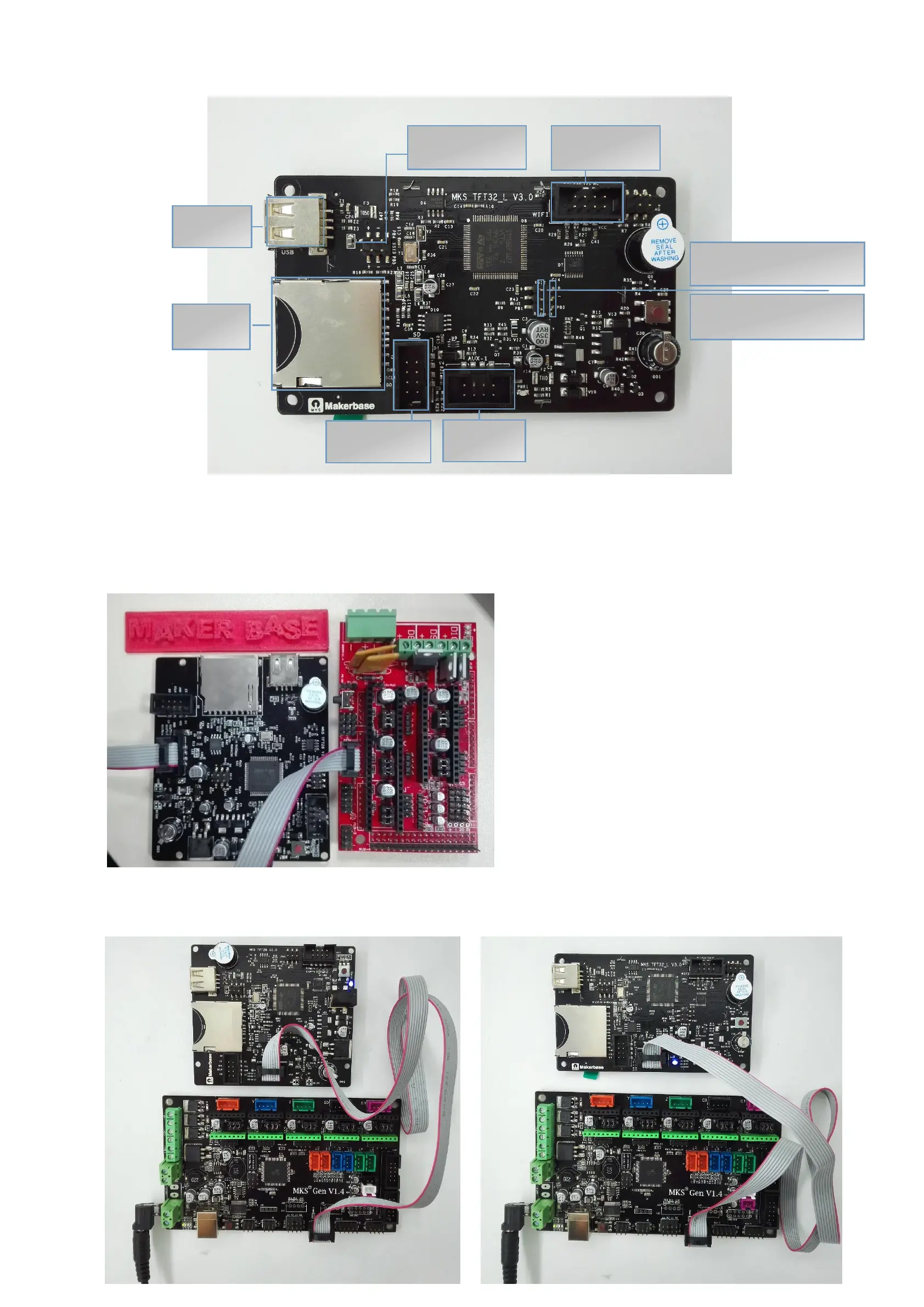
5. MKS TFT32 Interface Diagram
6. Hardware Connection Instruction
6.1 Connect to Ramps 1.4, only TFT28 can work with Ramps 1.4.
6.1.1. Connect the TFT display to the Aux-1 of Ramps 1.4;
6.1.2. The power option jumps to 12V.
6.1.3. The power of TFT display inputs 12V.
6.2. Connect to MKS Gen
Connect the TFT display to the Aux-1 of MKS Gen. The TFT display is not necessary to connect external 12V power supply
B4 MKS PWC
module interface
块接口
B0 power outage detection
module interface
B1 filament outage
detection module interface


 To Next Page