MK8000 EVB Quick Start Guide
Mauna Kea Semiconductor Confidential
1. Overview
FCC ID: 2A7T8MK8000UWBA
This document provides a quick start guide on testing and evaluation of the MK8000 chipset [1] features
and performance using the MK8000 evaluation kit.
MK8000 evaluation kit has two operation modes --- standalone and MKTool mode.
Standalone mode
o The EVB starts to work automatically once powered on. The measurement result is
updated periodically in a Windows console through the serial port.
MKTool mode
o The EVB is controlled by the MKTool [2], and the test result will be shown in the GUI.
MK8000 evaluation kit has one firmware update mode --- ISP (In System Programming) mode.
ISP mode
o When EVB is in ISP mode, the firmware of MK8000 chipset can be updated using
ISPTool[3].
2. What’s in the box
The MK8000 evaluation kit includes the following items, as shown in Figure 1.
Two MK8000 EVBs
One 4-element linear array antenna with Anchor EVB
One single element antenna with Tag EVB
Four-wire flat ribbon cables
Two USB-to-serial port adaptors
Figure 1 MK8000 evaluation kit
3. MKSemi EVB Hardware Setup
This chapter provides step-by-step instructions for setting up the evaluation kit.
3.1 Power supply connection
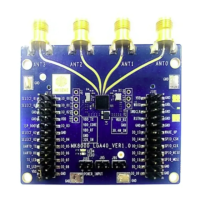
Figure 2 shows the front and back sides of the MK8000 EVB. J105 is the jumper for power supply.
J105(+) connects to VCC and J105(-) connects to GND.
3.2 Power supply configuration
MK8000 EVB supports 1.8~3.6V and 3.6~5.5V power supplies. The default configuration is 1.8~3.6V.


 To Next Page