MK8000 EVB Quick Start Guide
Mauna Kea Semiconductor Confidential
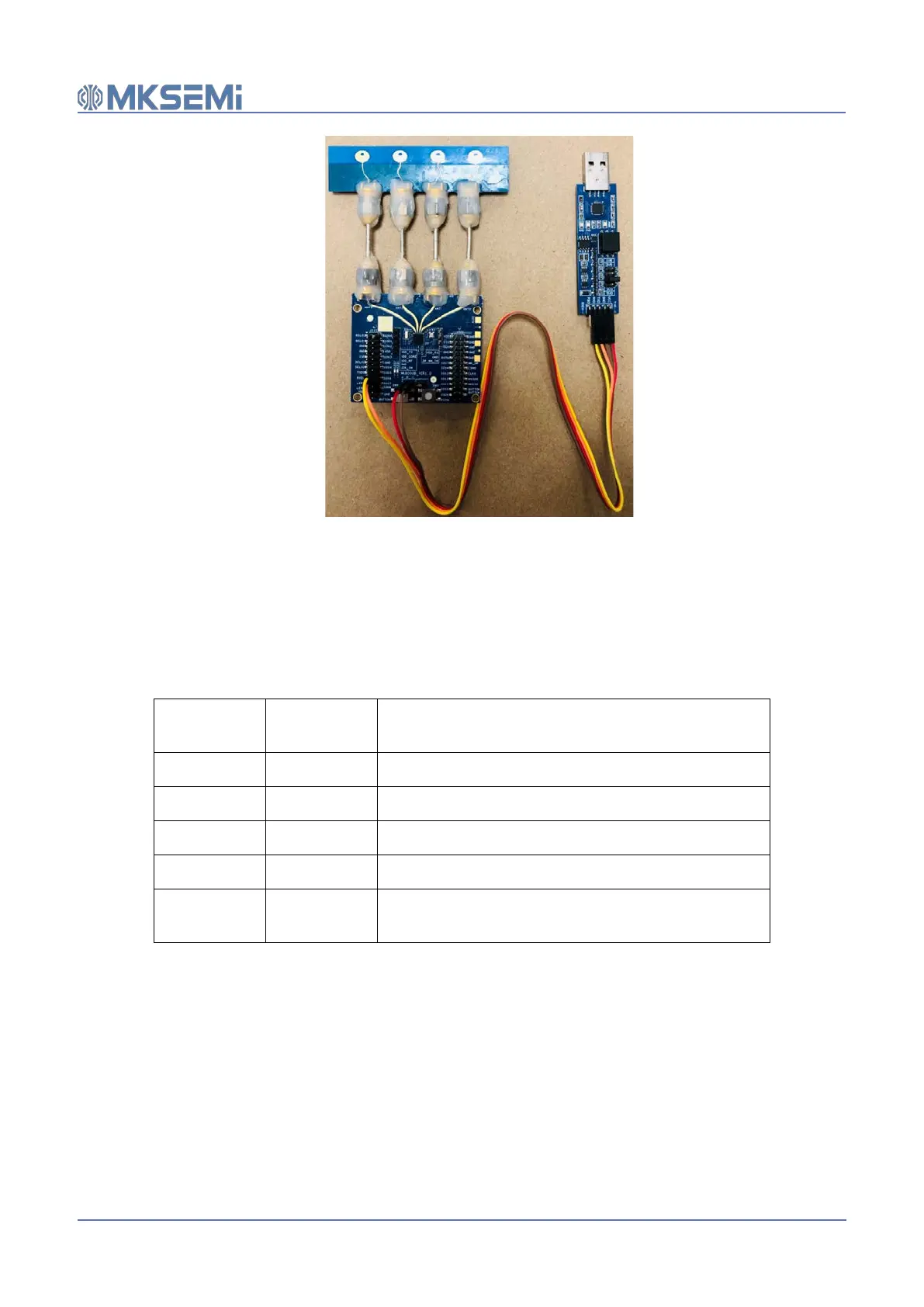
Figure 3 Anchor connection
3.4.2 Tag hardware setup in standalone mode
Table 4 shows the detail of the Tag hardware connection in standalone mode and Figure 4 shows the
tag after connection. In standalone mode, the USB adapter at the tag side is used for power supply
only.
Table 4 Tag side hardware connection in standalone mode
MK8000 EVB
USB-to-serial
port adaptor
operation
J105 (+) VCC Use flat ribbon wires to connect J105 (+) to VCC
J105 (-) GND Use flat ribbon wires to connect J105 (-) to GND
IO_05 RXD Use flat ribbon wires to connect IO_05 to RXD (optional)
IO_06 TXD Use flat ribbon wires to connect IO_06 to TXD (optional)
IO_02 --
Leave IO_02 open. With this setting, the EVB will be
configured as Tag


 To Next Page