65
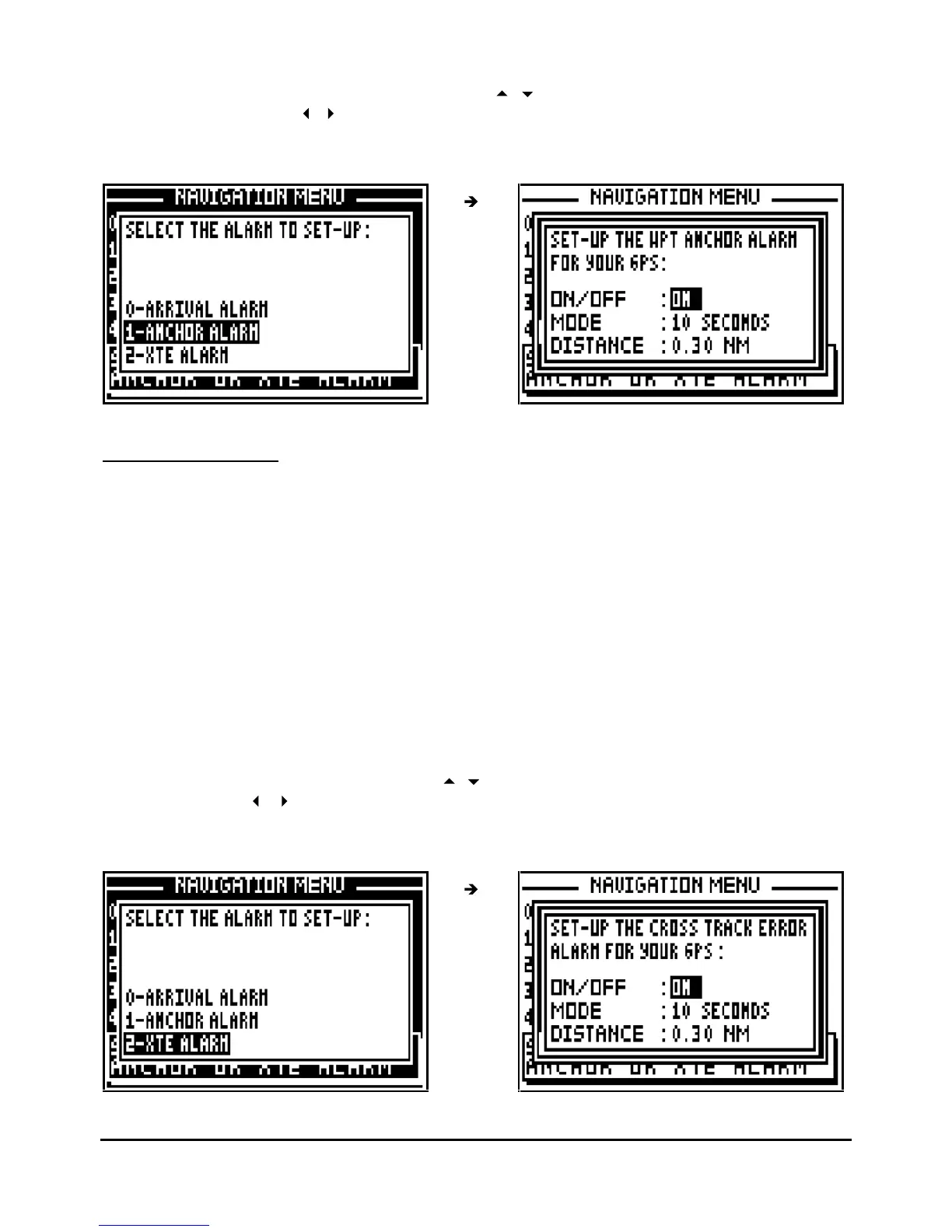
From the NAVIGATION MENU, press key 7 (or select 7-ALARMS and press Enter), then press
the key 1 to select ANCHOR ALARM. Use the
arrow keys to move the cursor in the
options window. U
se the
arrow keys to select alarm ON/OFF and mode required. Use the
numeric keys to enter the distance. Once all parameters are configured press
Enter
to validate.
7.2.8.C
–
XTE ALARM
The XTE alarm is used to warn you of your drift from the direct route to a reference waypoint.
The direct route is the line from your position when you launched the GOTO function to the
waypoint. Each time the distance is bigger than the distance fixed in the set up, the alarm will
sound to inform you about yo
ur drifting.
The adjustable options are:
ON/OFF = On off of the audible alarm.
MODE = the audible alarm gives out BEEPS for a duration of 10 seconds or for an unlimited
time until the user presses a key on the keyboard.
DISTANCE = it is the radius from a distance that you wish the alarm to sound. The visual alarm
and the resonant alarm are released when the vessel is out of this range.
From the NAVIGATION MENU, press key 7 (or select 7-ALARMS and press Enter), then press
the key 2 to select XTE ALARM. Use the
arrow keys to move the cursor in the options
window. Use the
arrow keys to select alarm ON/OFF and mode required. Use the
numeric keys to enter the distance. Once all parameters are configured press
Enter
to validate.



 To Next Page