2. Charging & Start
Charging
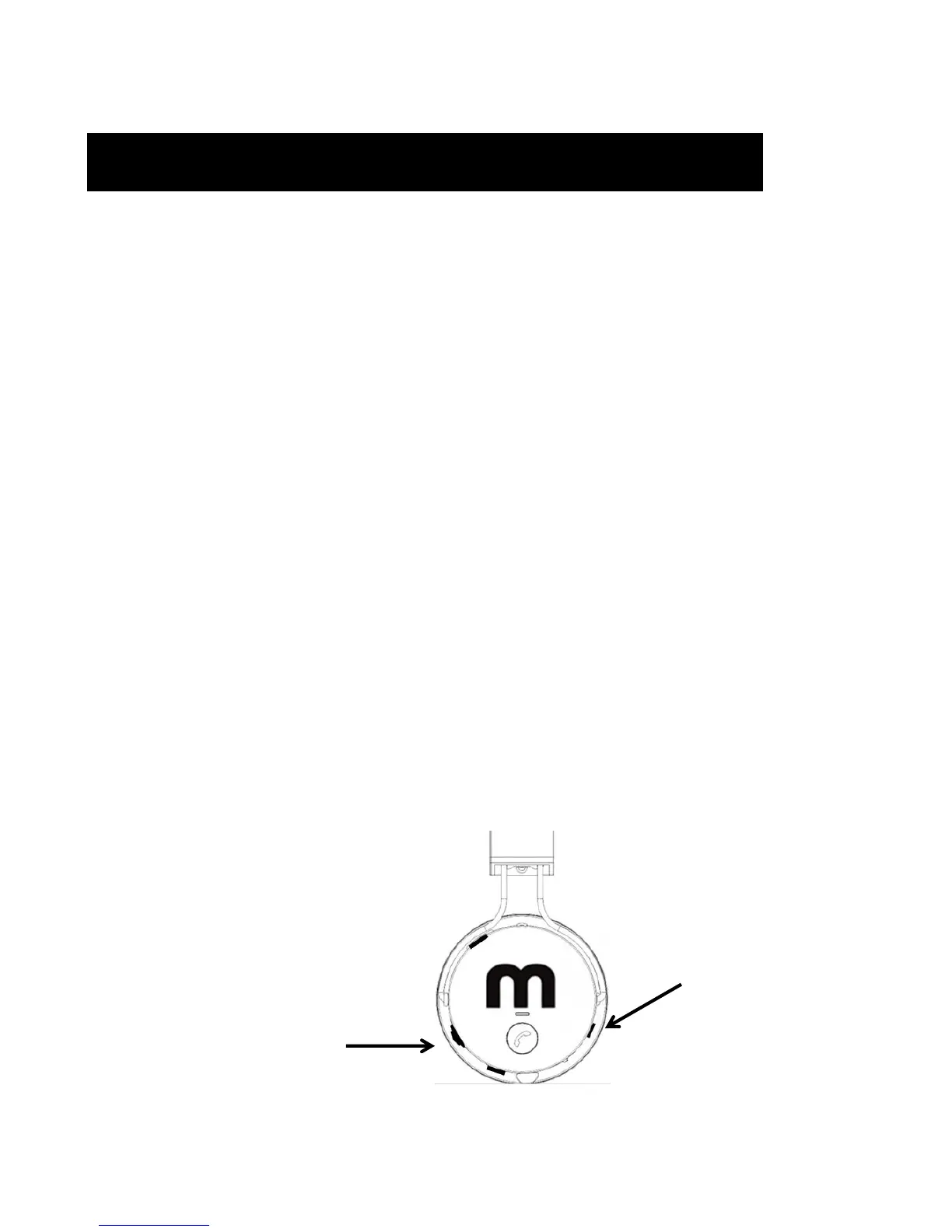
Your Headphones are supplied with a USB to Micro USB charging
cable. To charge plug the micro USB end into the headphone and the
USB end into any USB charging source.
• Before charging the headphone, please turn off the headphone.
• Do not charge the headphone during use.
During charging the headphone indicator constantly lights in red.
Standard full charge is 2 hours (note: the red light indicator will
remain red throughout and after the duration of the charge).
Start
To start ‘Power On’ your headphones by switching the power button
downwards to the ‘ON’ position.
• The blue indicator will light and the headphones
will enter Bluetooth mode.
Your headphones are now on.
Note: To save battery life ‘turn off’
your headphones after use.
Micro USB Charging Port
Power On / Off
Button


 To Next Page