3. About ‘Cool Cans’
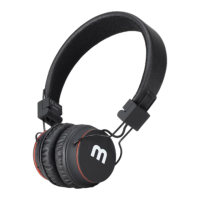
Cool Cans
Your new headphones support four listening modes:
Wireless Bluetooth Mode
• Listen to your favourite tracks through Bluetooth connectivity with you Smart Phone
/ Tablet or any Bluetooth enabled device.
FM Radio Mode
• Listen to your favourite radio station or flick through the band for a radio station of
your choice.
Micro SD Card Player Mode
• Listen to your favourite music which has been pre recorded to your Micro SD Card.
Direct Cable Mode
• Listen to your music player directly through the audio cable (ideal when the battery is
dead or if no Bluetooth connectivity).
On turning on your headphones they will automatically enter Bluetooth mode and
attempt to wirelessly pair with the most recent paired device, if this device is unavailable
they will be available to pair with any available Bluetooth device in close proximity.
Mode Select:
To change mode firmly ‘Push Inwards’ the toggle button:
• First Push selects FM Radio Mode
• Second Push selects SD Card Mode
• Third Push returns to Bluetooth Mode
Toggle Button – Push inwards to change mode


 To Next Page