4. Bluetooth Mode
Pairing
Bluetooth devices need to be "paired" with each other beforehand. Once
Bluetooth devices are paired, there is no need for pairing again unless
recognition of the headphones by the device is deleted.
How to perform pairing procedure on your Bluetooth device to detect your
headphones.
1. Insure your headphones are ‘ON’ and in Bluetooth mode (when powering
on your headphones they enter Bluetooth mode automatically be
default)
2. Go to Bluetooth on your device and scan for available Bluetooth
connections. The list of detected devices appears on the display of the
Bluetooth device. Your Headphones are displayed as “Cool Cans"
3. Select ‘MS02’ on the display of the Bluetooth device.
4. lf Passcode input is required on the display of a Bluetooth device, input
"0000.“
Your headphones will pair to your Bluetooth device and you will hear the voice
prompt ‘your Bluetooth device is connected’.
Changing / Selecting Tracks, pause and play.
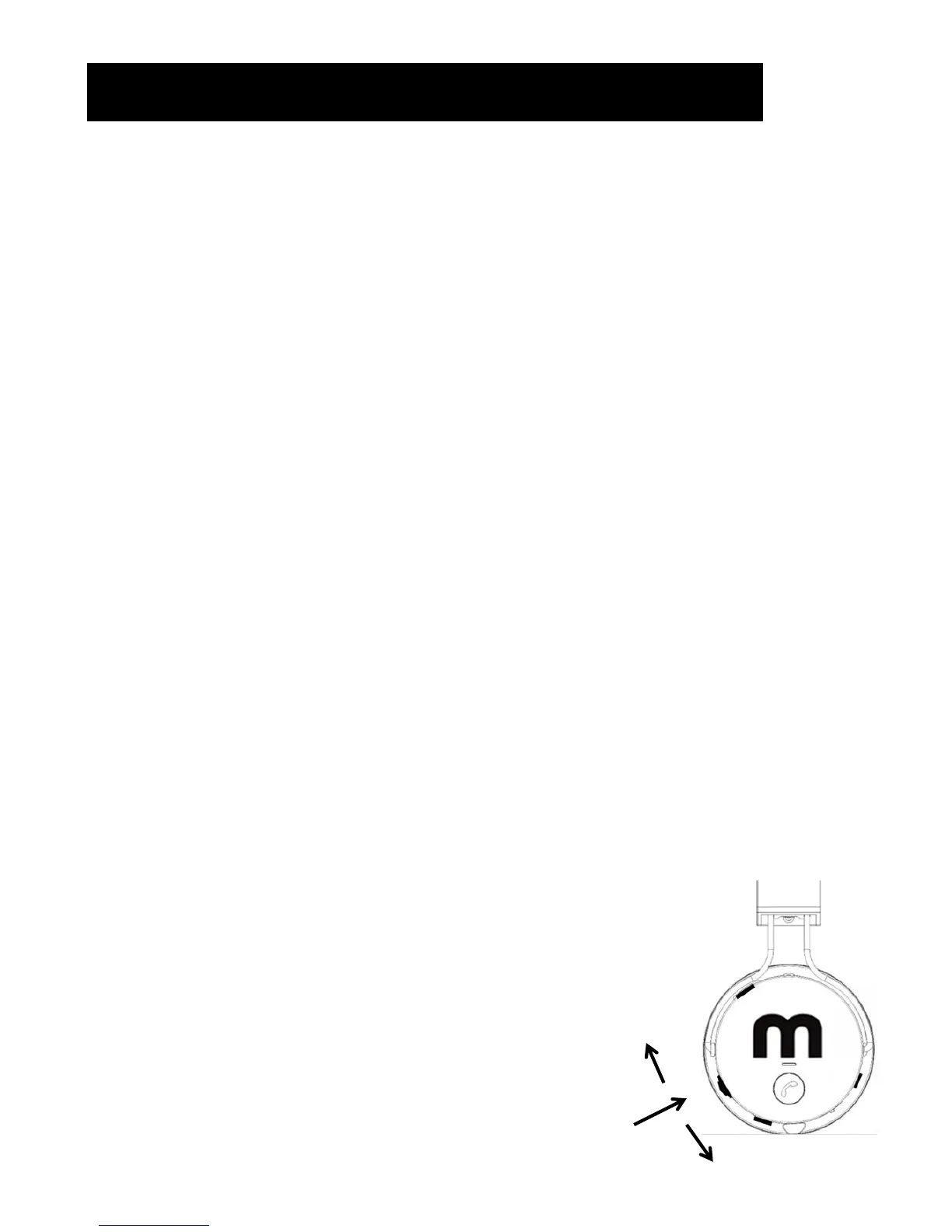
You can control your device’s operation and track select by using the toggle
button on your headphones.
• Track Skip or Back can be performed by moving the Toggle button up and
down.
• Play or Pause can be performed by pushing Toggle button in.
Notes:
• Only one device can be connected, to change Bluetooth
devices simply ‘un pair’ first device and repeat procedure
above with second device.
• Your Bluetooth Headphones have an approximate wireless
range of 10 metres (interference from radio waves, concrete
walls etc. can cause lower range or static).
Push In - Play / Pause)
Track Up
Track Down


 To Next Page