5. Micro SD Memory Card Player
Install and Remove SD Memory Card:
Install Memory Card
• Insert Micro SDHC / TF memory card into the headphone slot. Press ‘IN’ gently
to lock up.
Remove Memory Card
• Make sure that power is off. Gently press the memory card ‘IN’ to unlock it, the
memory card will automatic be ejected out. Take the memory card out.
Select Memory Card Mode on Headphones:
• Push the Toggle Button ‘Inwards’ TWICE
Content on your memory card will begin to play.
Change Tracks on your Memory Card
• Move the Toggle button Up / Down to select different tracks.
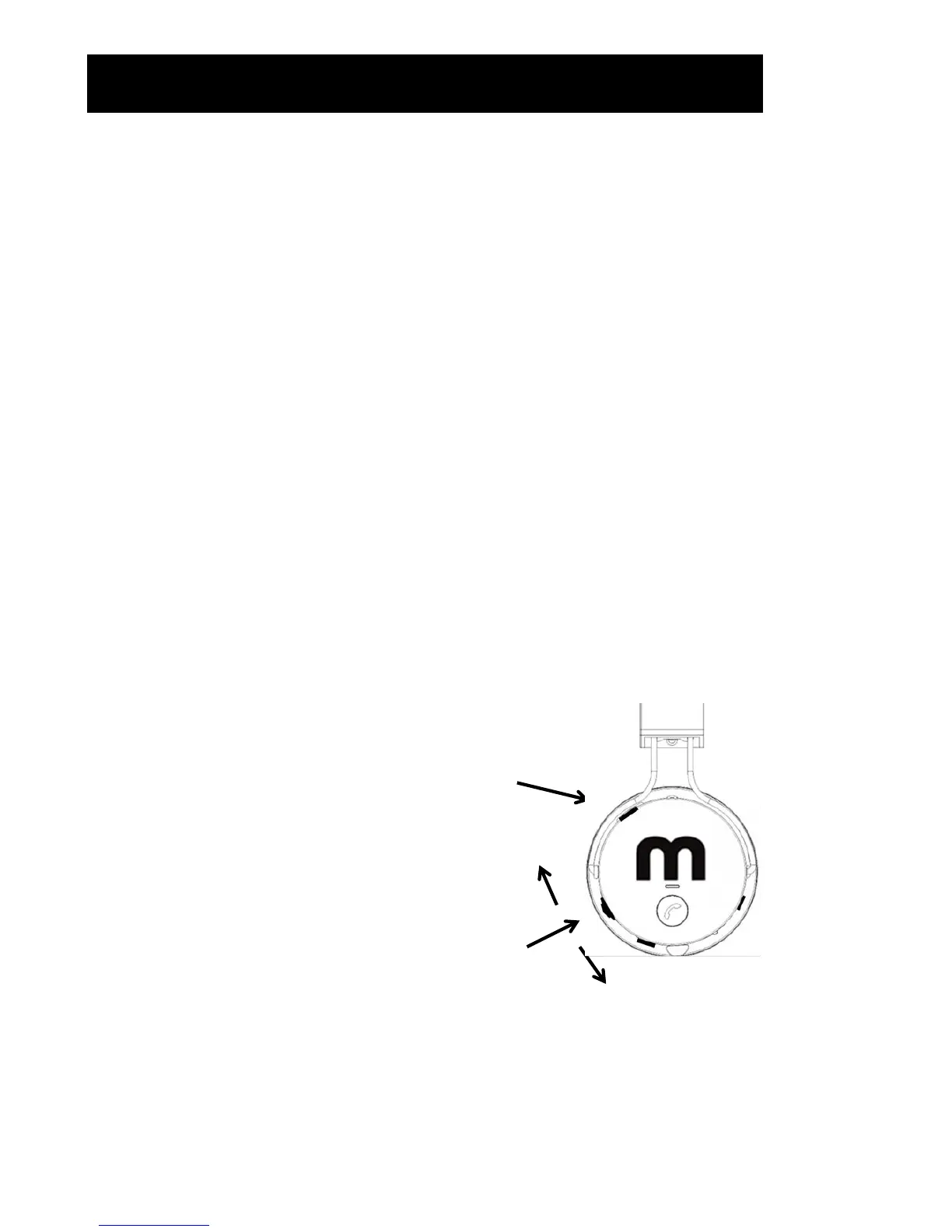
Toggle Button
• Push inwards TWICE to enable SD Memory
Card Player Mode.
• Move Up / Down to select different tracks.
Push In
Up
Down
SD Memory Card Slot


 To Next Page