6. FM Radio
Select FM Radio Mode on Headphones:
• Push the Toggle Button ‘Inwards ‘ Once.
FM Radio will begin to play.
Station Select
Your headphones are equipped with ATS (Automatic tuning and storing), this operation
needs to be completed on initial setup or when radio stations have moved to different
frequencies (can happen if you move location), to perform this setup:
• Select Radio Mode (as above).
• Press and hold the ‘Call’ button until the blue indicator light starts flashing, this
means that ATS is enabled.
• Wait until the blue indicator light goes to constant blue (stops flashing), ATS is
completed and your stations are now stored.
Changing Station
• Move the Toggle button Up / Down to select different radio stations.
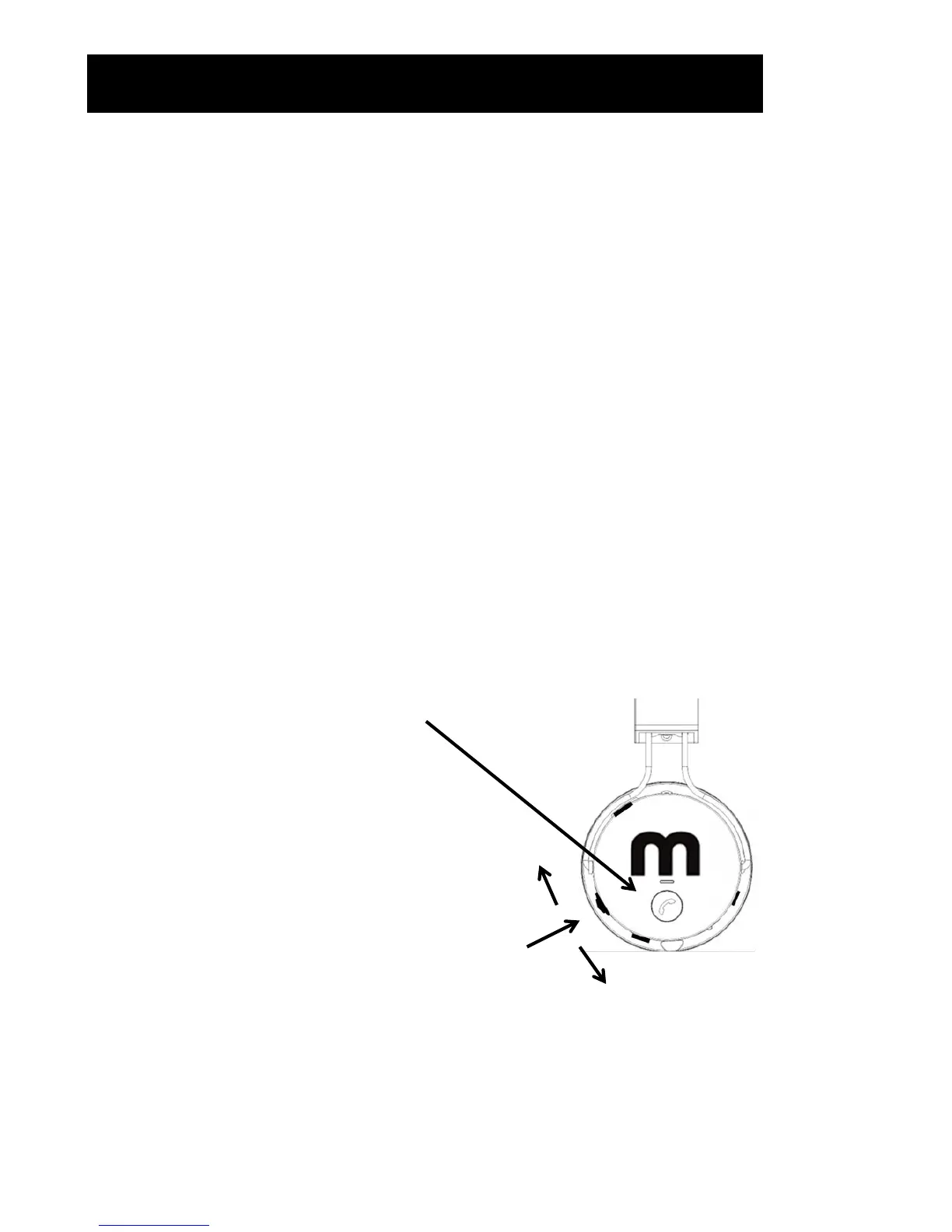
Toggle Button
• Push inwards Once to change to FM Radio
Mode.
• Move Up / Down to select different stations.
Push In
Up
Down
ATS Button
• Press and hold until Blue light flashes.
• Stations are selected once light goes constant.


 To Next Page