EasyManua.ls Logo

Mobi Technologies MobiCam User Manual

Mobi Technologies MobiCam
8 pages
To Next Page IconTo Next Page
Page #1 background imageLoading...
Page #1 background image
Rev.180529 - 03
Scan this QR-Code for the
latest Instruction Manual
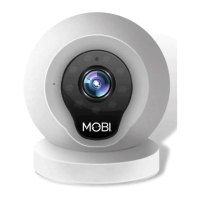
MobiCam
®
Multi-Purpose Monitoring System
Quick Start Guide:
Step 1: Download the App “MobiCam” (Apple Store or Play Store)
Step 2: Sign up and Register using your email Address
Step 3: Connect Camera (see instructional videos)
a) QR Code for Instruction Video (iOS)
Instructions: Scan the QR code and follow the steps in video
b) QR Code for Instruction Video (Android)
Instructions: Scan the QR code and follow the steps in video
Question and Answer IconNeed help?

Do you have a question about the Mobi Technologies MobiCam and is the answer not in the manual?

Mobi Technologies MobiCam Specifications

General IconGeneral
BrandMobi Technologies
ModelMobiCam
CategorySecurity Camera
LanguageEnglish

Summary

Quick Start Guide

Download and Register App

Download the MobiCam app from the store and register your account.

Connect Camera via Instructional Videos

Use QR codes for iOS or Android videos to connect your camera.

Important Information

Product Description

Installation

Device Hardware Setup

Connect the camera power supply and understand LED status indicators.

Phone App Installation

Instructions for installing the MobiCam app on iPhone and Android devices.

User Account Registration

Guide for creating and securing your user account within the app.

Camera Device and Phone Connection

Sign In and Access IP Camera Page

Log into the MobiCam app and navigate to the IP camera interface.

Connecting to Network

Guide to connecting the camera to your Wi-Fi network using sound wave method.

Connection Notes and Troubleshooting

Key points for successful camera connection and troubleshooting tips.

Video Recording

Playback

Snapshot Sharing

Sub-Account Management

Viewing Lock

Two Way Audio

Infrared Night Vision

Infrared Alarm

Mounting Options

Computer Monitoring

Warnings

Limited Product Warranty

Related product manuals