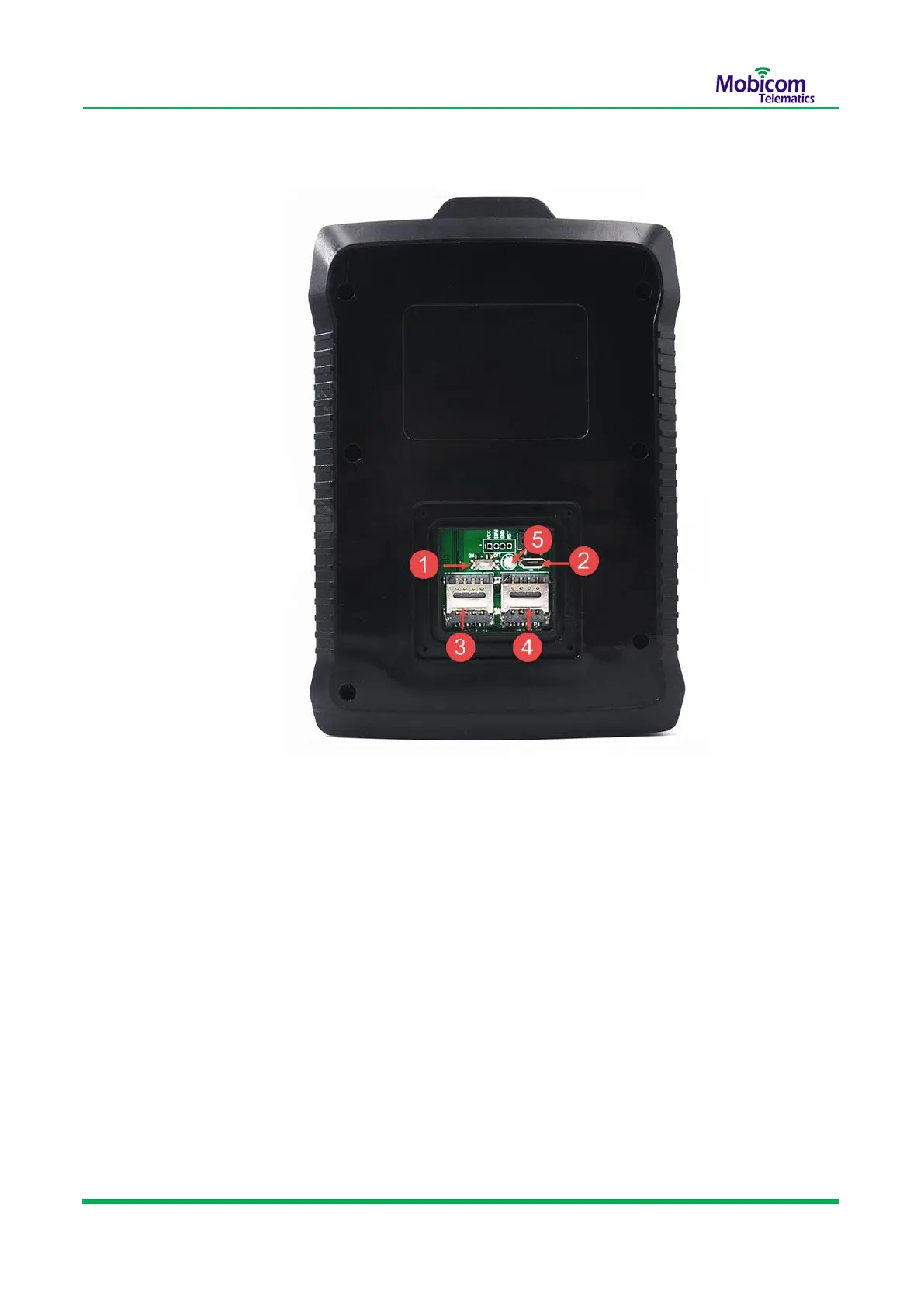
Back Cover Opened
1 Power switch: Turn the switch to the left, power on the device;
Turn the switch to the right, power off the device.
2 Micro USB socket:Connect Micro USB configure cable to PC, initialize parameters or
debug purpose and Firmware upgrade.
3 SIM1 slot:Push the SIM card holder down vertically to open it, and then put the Micro-
SIM card 1 inside, Press down then push the SIM card holder up vertically to
lock the SIM card
4 SIM2 slot:Push the SIM card holder down vertically to open it, and then put the Micro-
SIM card 2 inside, Press downthen push the SIM card holder up vertically to
lock the SIM card
5 Light sensor:it’s used to detect whether Back Cover opened or not.


 To Next Page