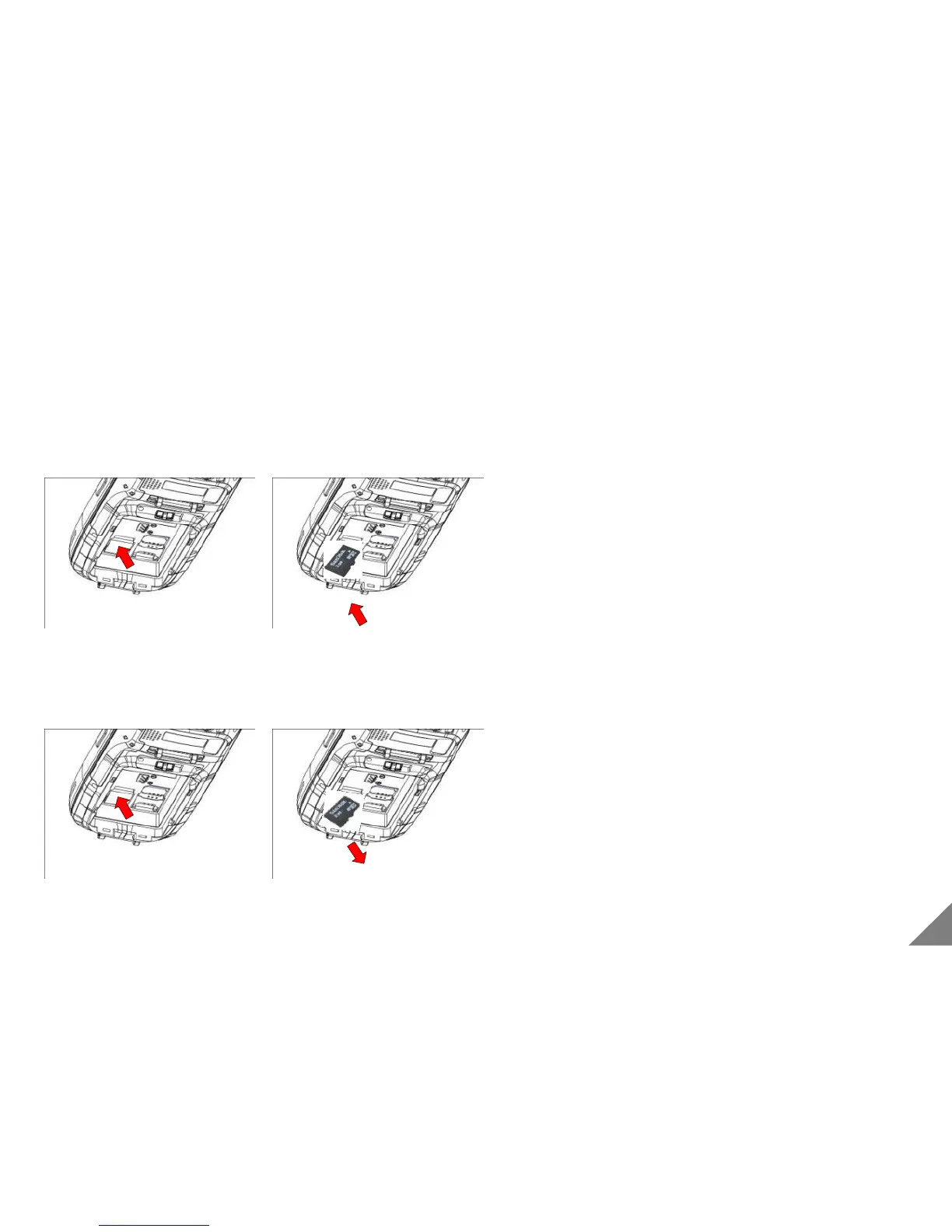
1.5 Install & Remove Micro SD Card
① Pull out the battery
② Inset a SD card.
③ Install the battery back.
④ Fix a hand strap on PDA..
<Caution>
• Please power-off before installing or removing the battery
• Since battery should be removed when SD card is installed
and removed, save all data in operation.
• Please be careful of the direction of Micro SD card
① Pressing the Micro SD card inserted, a part comes out.
② Pull out the Micro SD card
③ Install the battery
11
[ Install SD Card ]
[ Remove SD Card ]


 To Next Page