14
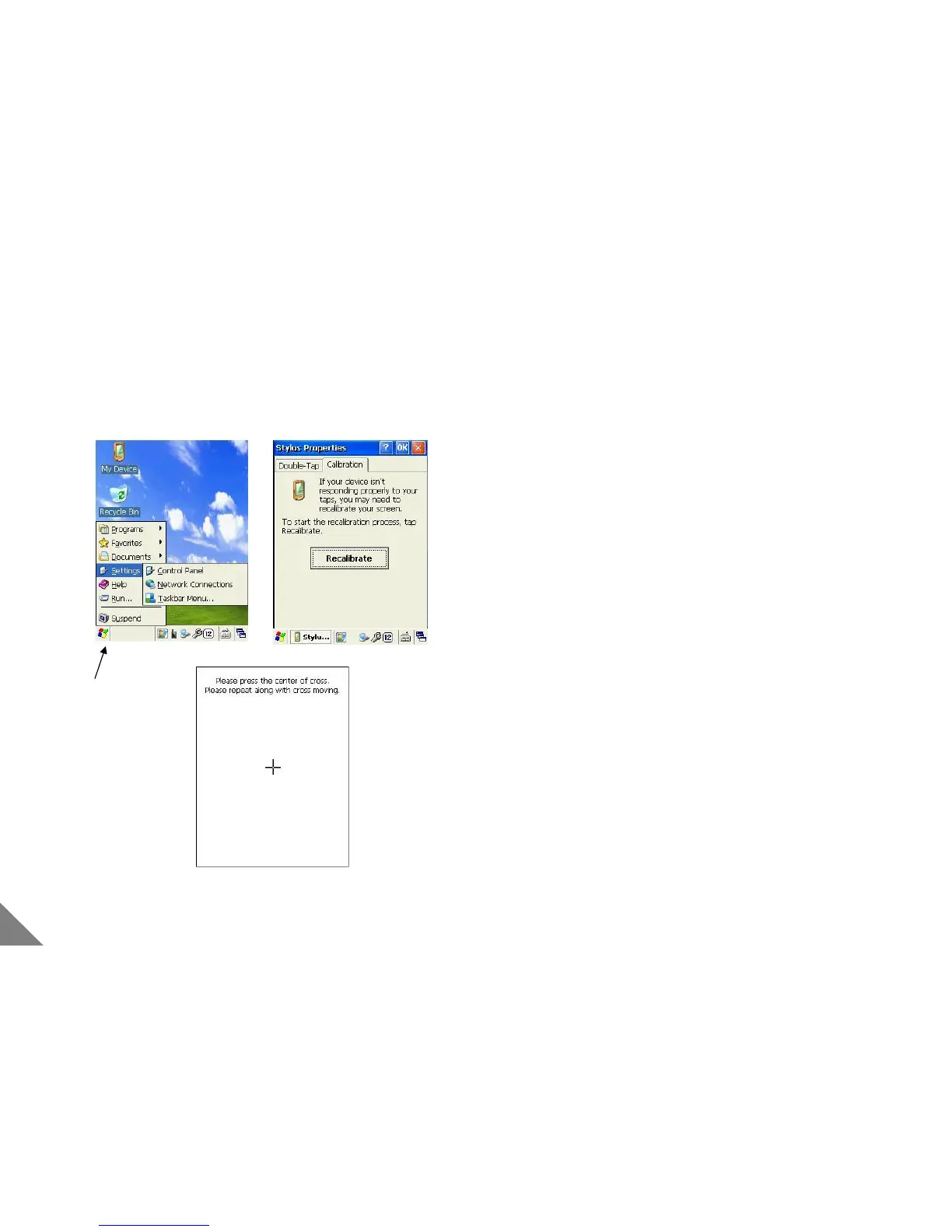
[Start]
2 Basic Use
2.1 Display Calibration
[ Display Calibration ]
① Execute the Display Calibration when correct position is not
selected with using stylus pen.
② When H/W reset done or when needed, please execute
[start]-[setting]-[control panel] in stylus properties.
③ If you press [+] for over 1 second, [+] move to the next.
Then, Act the same along with [+]
④ If all process done, Automatically, Display Calibration ends.
Then, Confirm if input is correct.
< Caution >
• When manipulating LCD display, do not another except stylus
pen.
(LCD Screen could be flow or PDA [reset] button could be
damaged)


 To Next Page