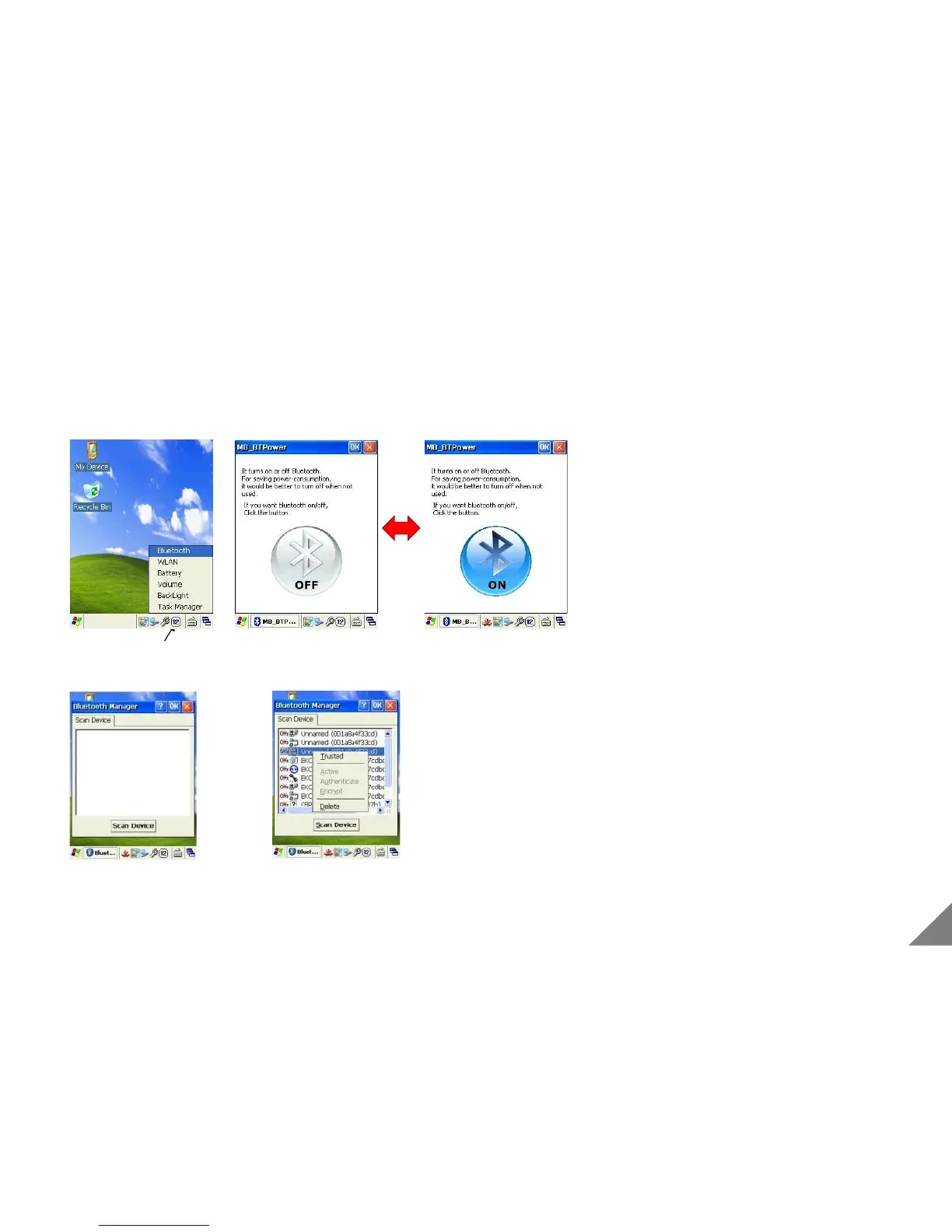
3.2 Using Bluetooth
[ Bluetooth On/Off ]
[Bluetooth On/Off]
①After pressing the spanner icon in taskbar and selecting the
Bluetooth, and pressing the B ON/OFF icon.
[Bluetooth Device Search]
①Press the [Device search] after executing [Bluetooth
manager] in [Control Panel].
② Select one of the Bluetooth devices.
* Bluetooth function is just available with a product with a built-in bluetooth module.(Option)
[ Bluetooth Device Search ]
19


 To Next Page