4 Scanner and Camera
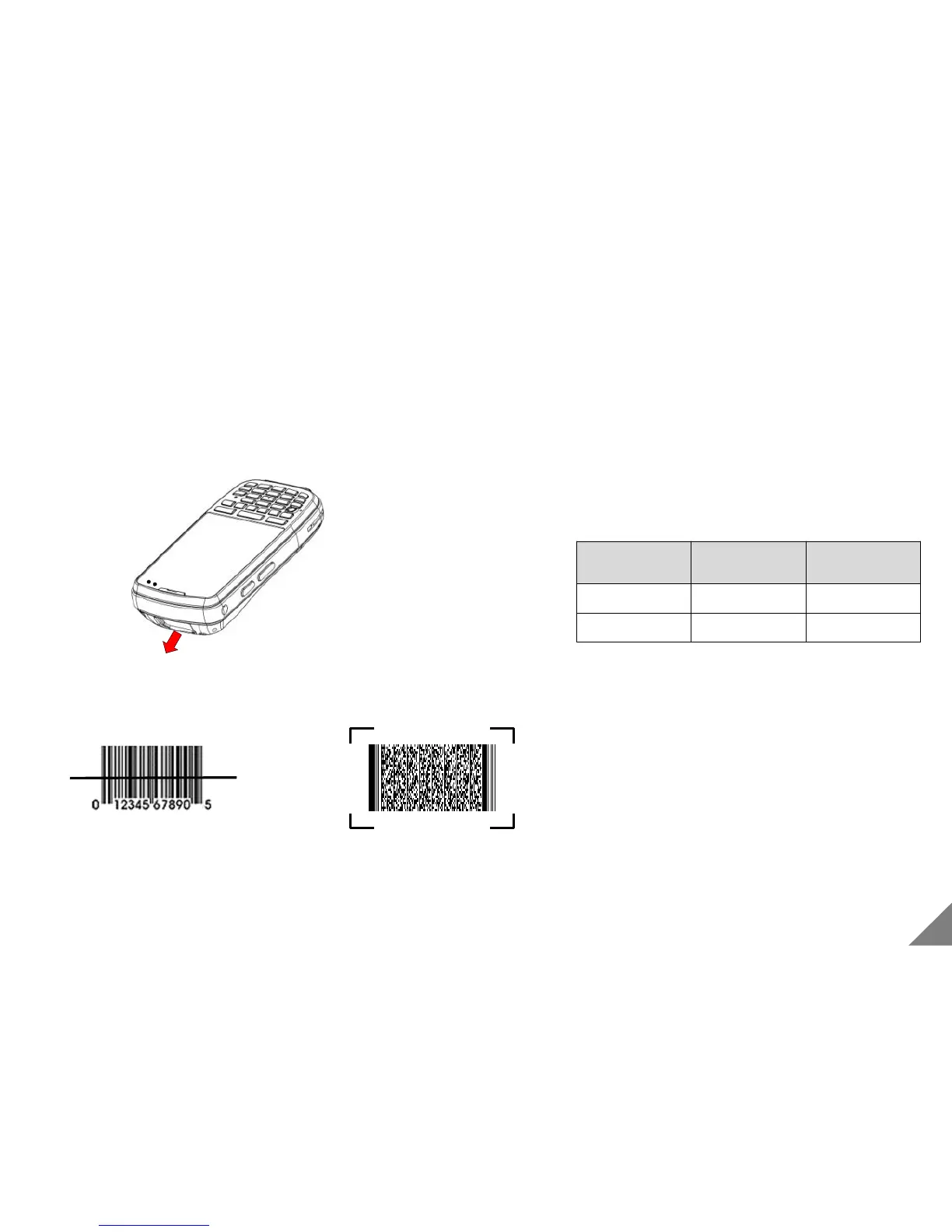
4.1 Using Barcode Scanner
[ Using Barcode Scanner ]
In order to operate it, Press red button on the upper right
side for 3 seconds.
<Reference>
Scanning
Method
Model Dimension
Laser DS3 1D
Image DS3 2D support
< Caution >
• Reading 1D Barcode : You should position the laser at the
the middle of barcode.
• Reading 2D Barcode : You should position the barcode
in red recognition guide line.
• When operating barcode scanner, please don’t shed
directly or indirectly to eyes. It causes a critical injure
including loss of eye sight
* Barcode scanner function is just available with a product with a built-in camera module.(Option)
< Correct the use of 1D Scanner > < Correct the use of 2D Scanner >
Barcode scanner
21


 To Next Page