5 ActiveSync
5.1 Installing ActiveSync
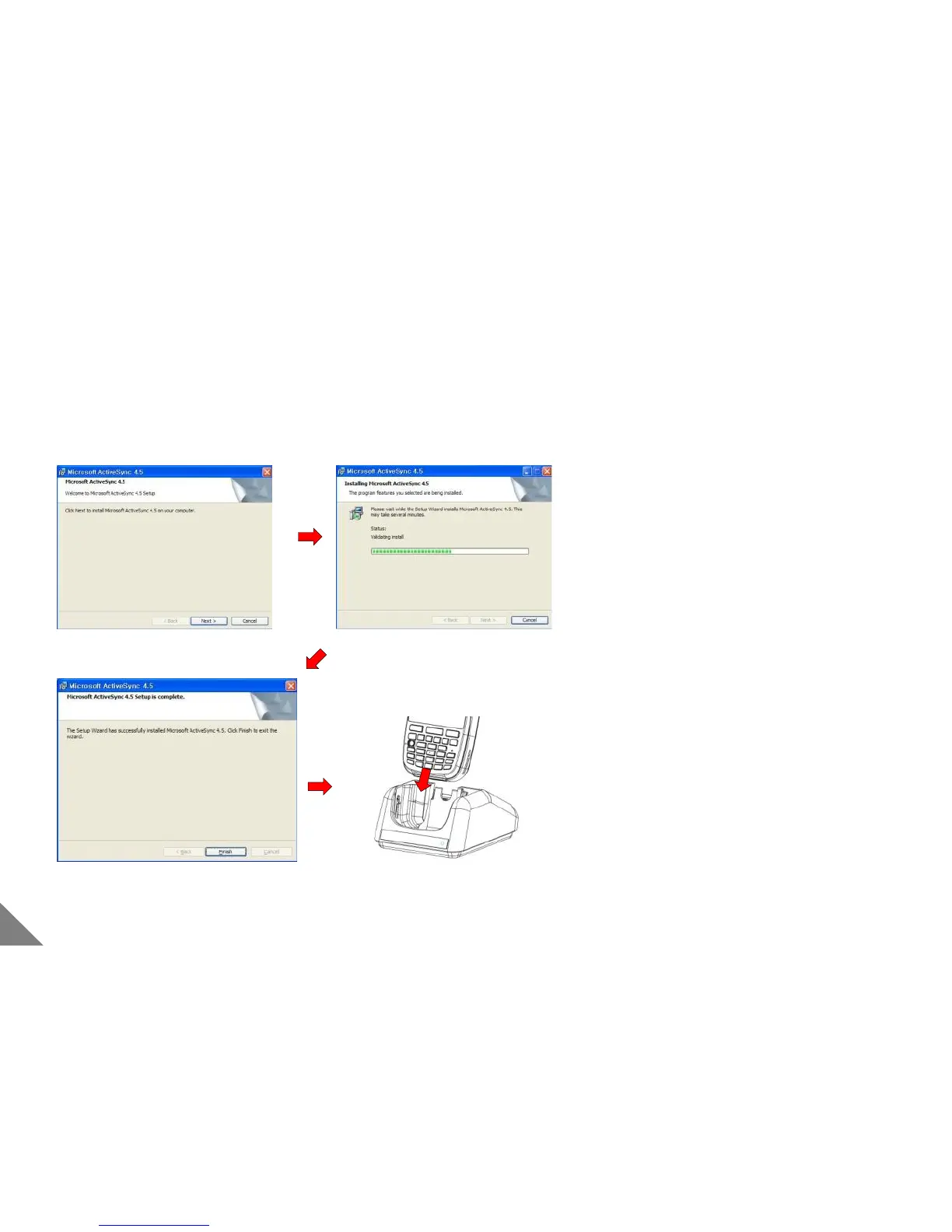
[ Installing ActiveSync ]
① Please download ‘ActiveSync’ and ‘USB driver’ from
www.mobilebase.co.kr
② Please start the installation by executing the files.
③ Please have it proceed with pressing [Next] button.
④ Please connect the computer with a cradle by USB cable
when the installation is completed.
⑤ Please mount the PDA into a cradle.
< Reference >
• During installation, if [new hardware search wizard]
comes out, install ‘USB driver’ and then press [OK]
⑥ If [set up a partnership] comes out, select
synchronization settings and then press [OK]
< Caution >
• Please install ActiveSync, when PDA is not connected.
26


 To Next Page