xTablet Flex 10B
8
Besides the application programs already xed on the “start” screen, you can also x other applications,
programs, folders, etc to the “start” screen.
If you want to x more application programs on the start interface, see the operation in the gure below.
In the start menu, right-click the application you want to x and select “Pin to Star”.
You can also drag the application onto the “start” screen, as follows:
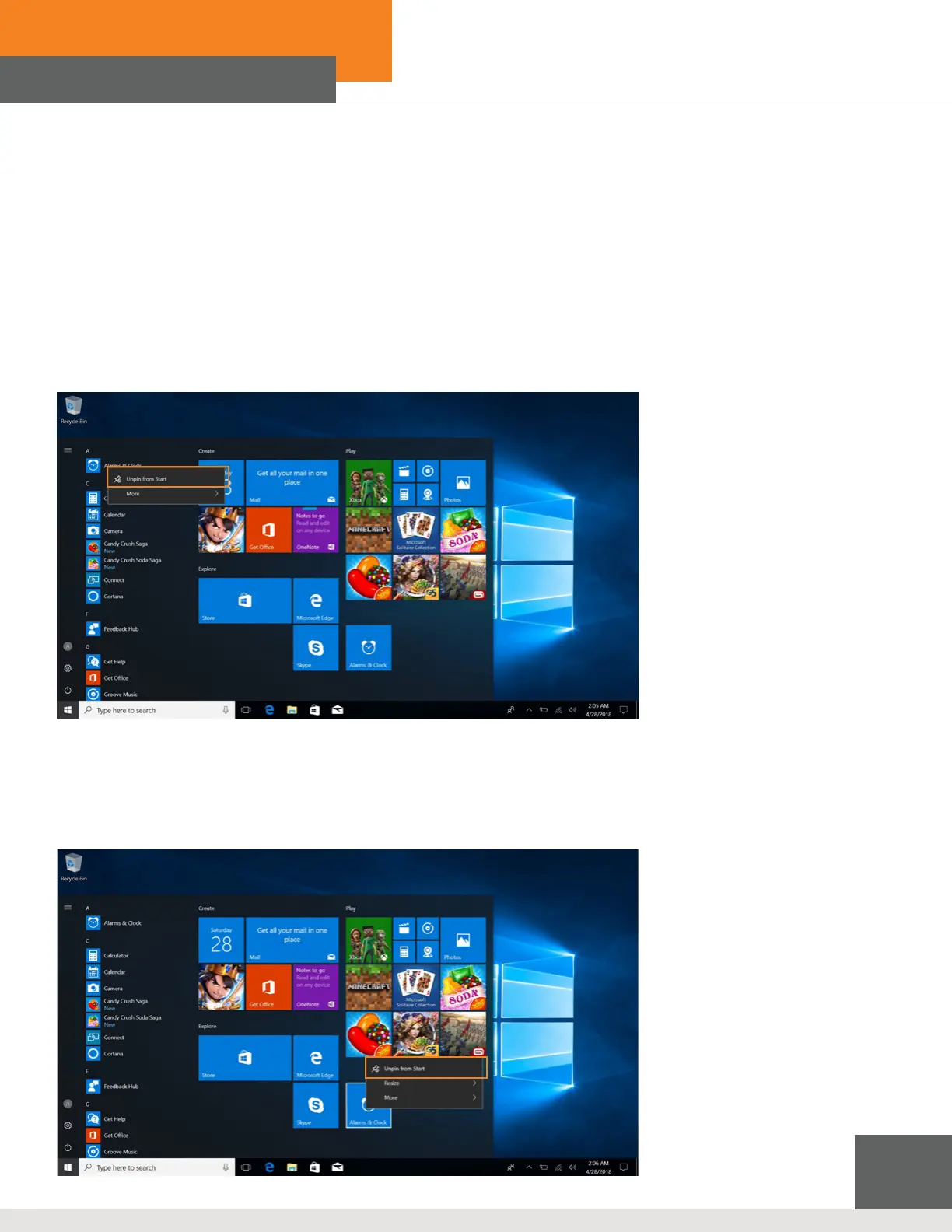
Conversely, if you want to cancel or delete a certain application in the start screen:
(1) Right-Clicking the application
(2) Click the “Unpin from Start”.
Introduction to App Interface



 To Next Page