37
with your service provider or Internet service provider.
Note: When the device is used as a Modem, some call functions might not be
accessible.
Icons & Symbols
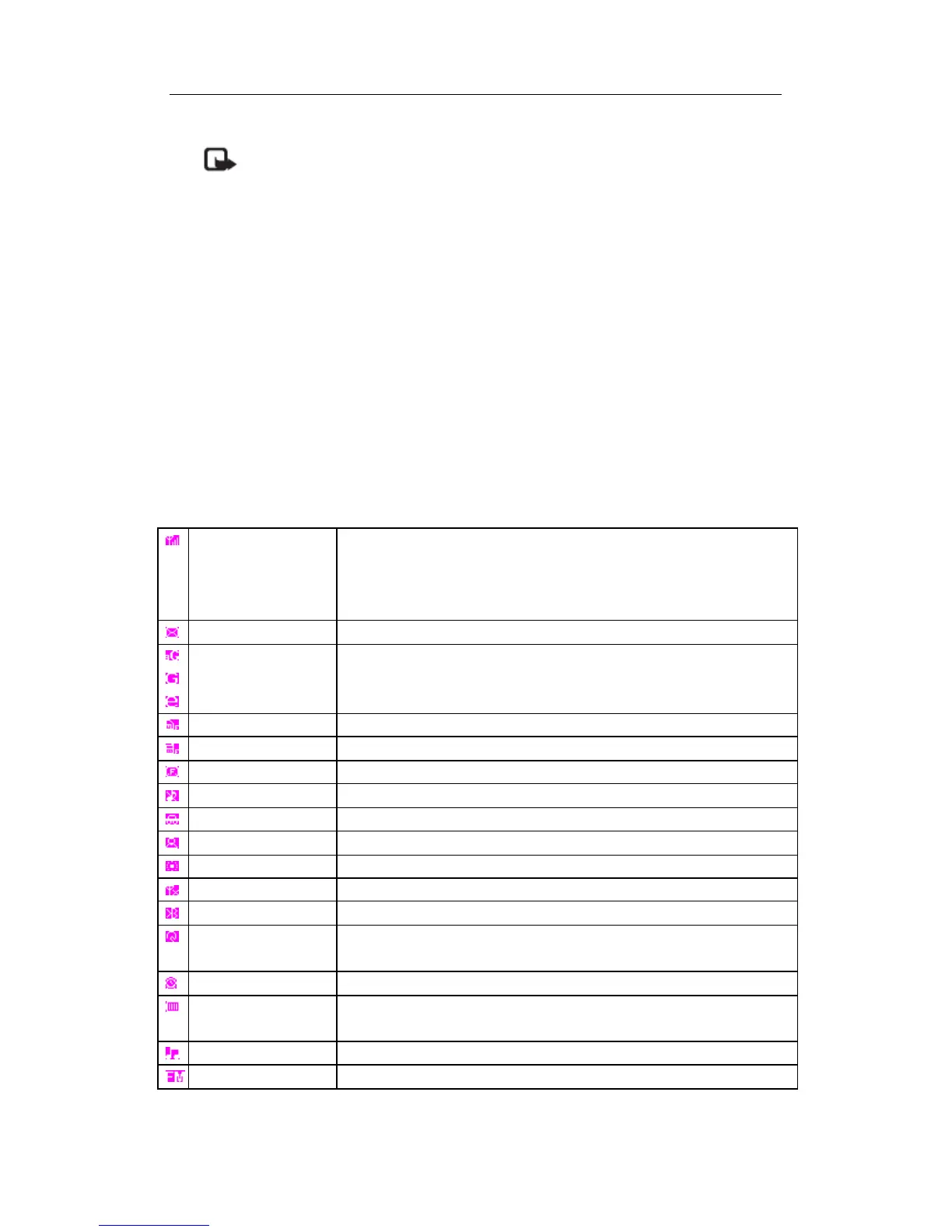
In idle mode, several icons and symbols can be displayed in the screen. The status,
network and battery icons are displayed all the time. The rest of the icons are displayed if
the feature is available, and not displayed if the feature is unavailable.
If the network symbol is not displayed, it implies that the network is currently
unavailable.
Network Network icon comprises of 2 portions. The left portion indicates
whether or not your phone is already registered with a network,
and the right portion indicates signal strength in 4 levels (from no
signal to strongest).
SMS Indicates that you have new or unread SMS.
Network Status 3G
GPRS
EDGE
USIM card full Indicates the storage capacity of your USIM card has been full.
Phone full Indicates the storage capacity of your phone has been full.
SMS full Indicates the storage for your SMS has been full.
Silent mode Indicates the Silent mode has been activated
Car mode Indicates the Car mode has been activated.
Meeting mode Indicates the Meeting mode has been activated.
Outdoor mode Indicates the Outdoor mode has been activated.
Offline mode Indicates the Offline mode has been activated.
Bluetooth Feature is activated.
Bluetooth car kit or
headset
The Bluetooth kit or headset is activated.
Alarm The Alarm is activated.
Battery Indicates battery level with 4 battery level indicator bars. When
charging, a scrolling icon will be displayed
Music Player Indicates the music is playing in backgroud



 To Next Page