- 2 -
mobiustrimmer.com info@mobiustrimmer.com
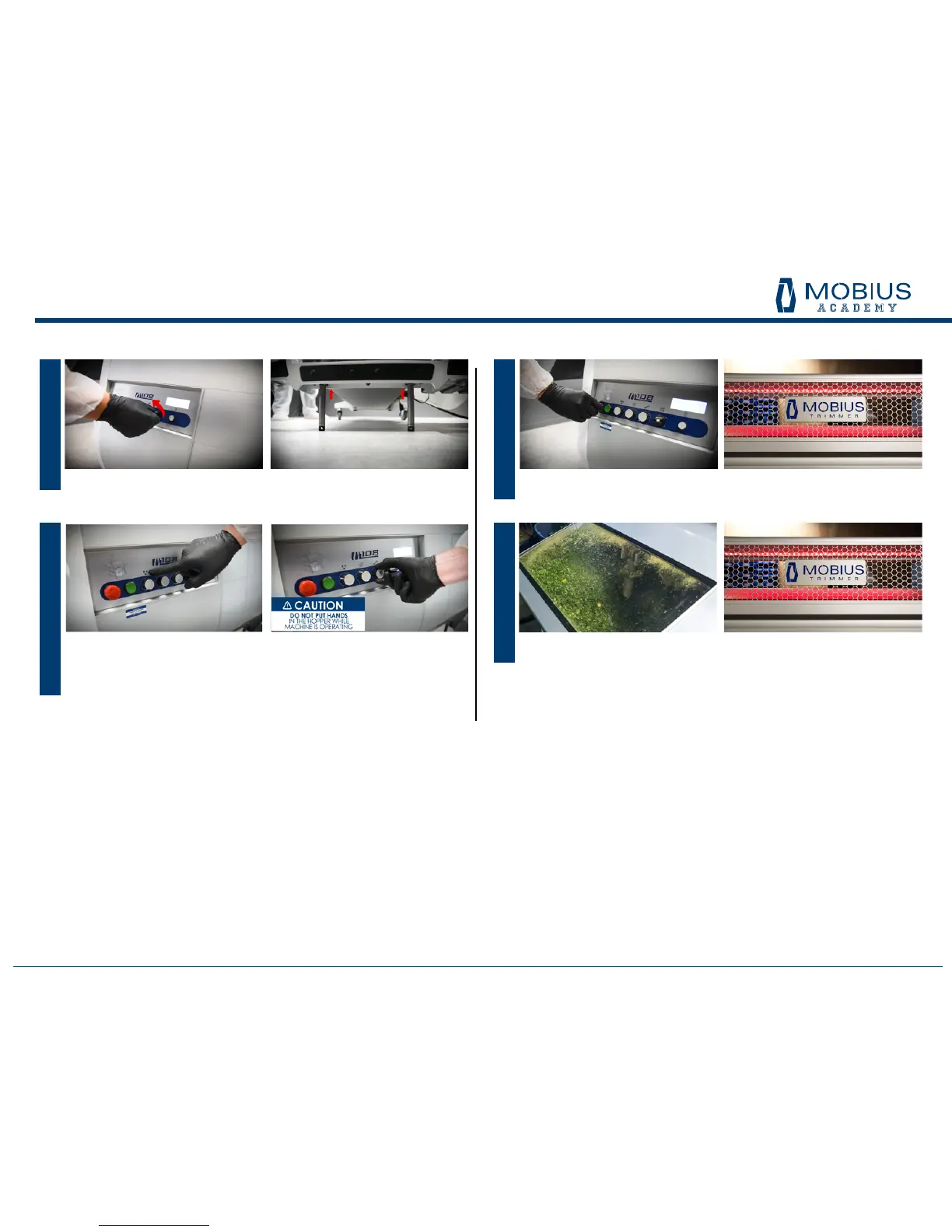
To shut down, press the red stop button in. The LED lights in the lid will turn red.
When restarting from here, the operator can simply release the red stop button
and then press the green button. All previous settings will resume.
When the Trim Tote is full, the Mobius will automatically shut off and the working
lights in the lid will turn to red indicating there is a fault. Empty the Trim Tote (refer
to Step 4 in Assembly section) and resume trimming by pushing the green button.
STEP 10.
STEP 11.
OPERATIONS
Turn the separator fan / tri-ex blades / tumbler on by pulling out each knob and
adjusting to desired setting.
Start feeding plant material into the input hopper while watching the output to
determine how fast to feed the hopper. (Note: to achieve a faster pass through the
tumbler, increase the feed rate, increase the tilt angle, or a combination of both.)
STEP 09.
Lower the tilt lift legs so they just touch the oor.
STEP 08.


 To Next Page