- 1 -
mobiustrimmer.com info@mobiustrimmer.com
OPERATIONS
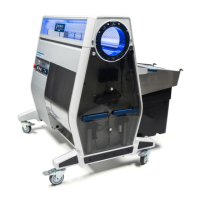
Make sure that the red stop button is in the released position (pulled out), then
plug the M108 in by inserting and twisting the plug.
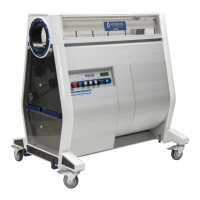
Now you’ll want to press the green START button.
Check to see that all 3 variable speed knobs are pressed in and turned all the
way to the left (counter clockwise)
Ensure that all 4 casters are in the locked position. Otherwise, install your input hopper and output chute.
The following steps outline the process for operating your M108. You can also view videos of these steps on our website in the Mobius Academy.
Ensure that the Tumbler air pressure is between 130 and 140psi.
If using conveyors, place your conveyor sensor override pucks on the bumpers.*
Check that all the blue safety lights on control panel are off, and ensure the hexagon
guards are in place and secured with the set screw on the bottom of the frame.
STEP 01.STEP 02.
STEP 05B.
STEP 04.
STEP 05A.
STEP 06.
STEP 03.
STEP 07.


 To Next Page