Adjusting Your Grind Settings
4
3
2
1
9
8
7
6
5
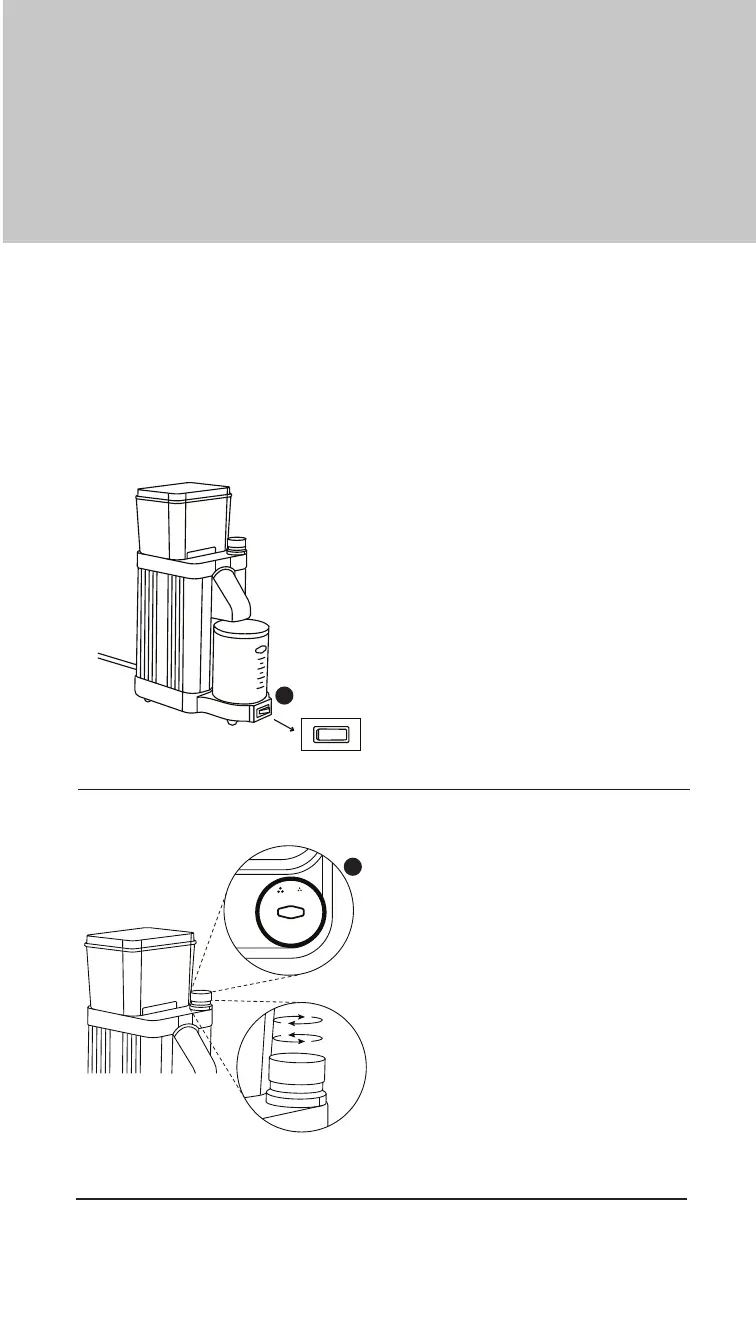
Power On
Activate the grinder by holding the
Power Switch (D).
Adjust the Grind
With the grinder running,rotate the
Adjustment Knob (J) clockwise
or counterclockwise to adjust the
grind setting.
• Clockwise produces a finer
grind.
• Counterclockwise produces a
coarser grind.
I
• For more information about grinder use and functionality, see the Important
Safeguards section in this manual.
D
For first use, set the adjustment knob to 5. On subsequent use, always
activate the power switch before adjusting the grind setting. This allows
the burrs to clear any partially ground beans that may be present from
previous use. If bean remnants are trapped in the burrs, adjusting the
grind setting without activating the grinder may cause the motor to jam.
Getting Started


 To Next Page