13MD-HPBT01
Notes: A profile can only connect one device at a time. For example, you cannot use a
phone's MP3 player and a computer's MP3 player at the same time, because both
players are connected through the A2DP profile.
You can connect a phone and a computer at the same time because the phone uses
HSP or HFP and the computer uses A2DP. This lets you listen to music from the
computer and answer phone calls at the same time.
In multi-pairing mode, some functions may be restricted depending on the host
devices.
Not all devices and functions may be compatible with multi-pairing.
Resetting the MD-HPBT01
In case the MD-HPBT01 needs to be reset, press Play, Talk, and +
(volume up) simultaneously.
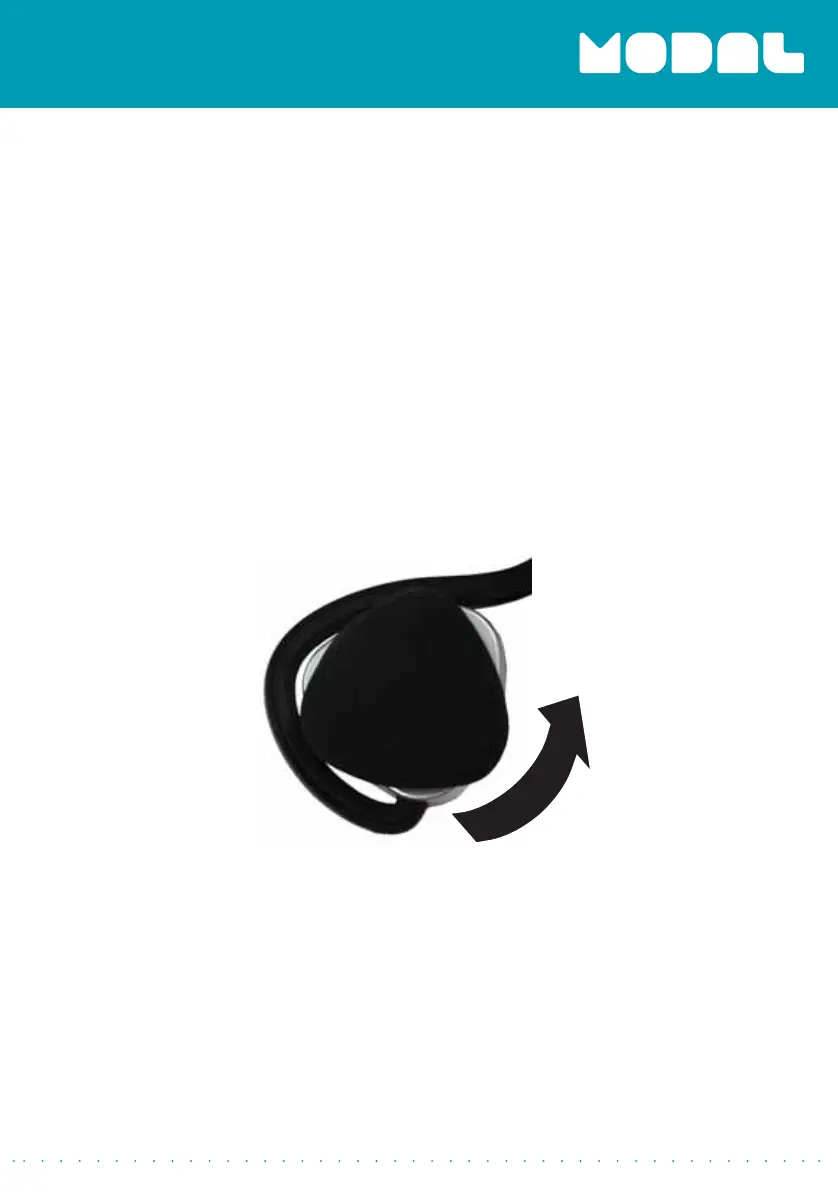
Replacing the ear pads
1
Rotate the ear pads counterclockwise, the remove them.
2
Replace the ear pads by placing them on the headset, then rotating
them clockwise.
MD-HPBT01_14-0244_MAN_V1_ENG.fm Page 13 Tuesday, July 8, 2014 10:25 AM


 To Next Page