Industrial Electronic Devices
ADFweb.com Srl – IT31010 – Mareno – Treviso INFO: www.adfweb.com Phone +39.0438.30.91.31
Document code: MN674-A003_ENG Revision 1.000 Page 19 of 30
R
OUTING
S
LAVE
A
DDRESS
:
Using this function, the converter can be seen like more than one serial Modbus slave. Each serial Modbus slave is a row of the table and it is
possible to define to which TCP device is linked.
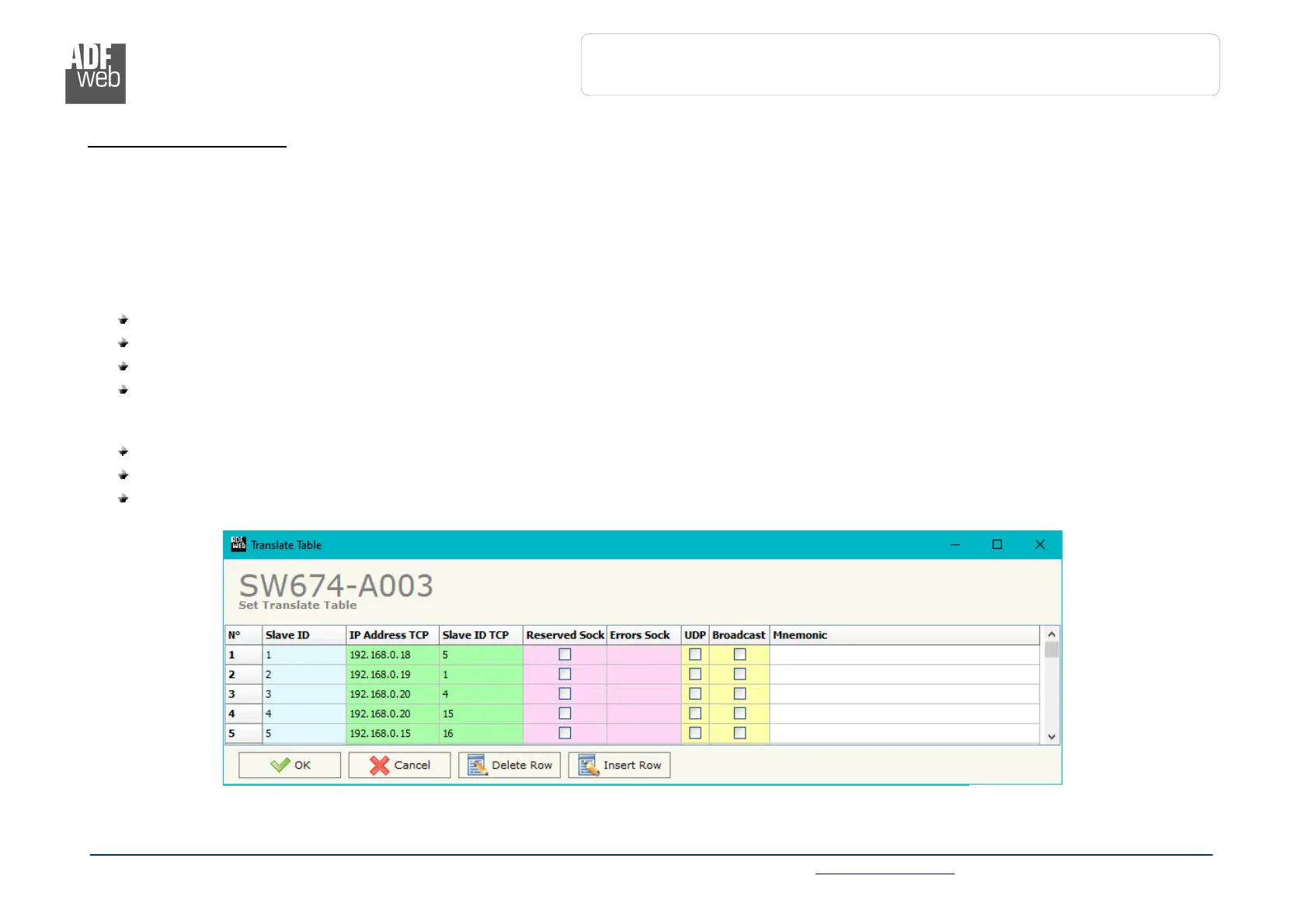
By pressing the “Translate Table” button from the main window for SW674-A003 (Fig. 2) the window “Set Translate Table” appears (Fig.
6).
The data of the columns have the following meanings:
In the field “Slave ID” the ID of the virtual Modbus slave device created by the converter is defined;
In the field “IP Address TCP” the IP address of the Modbus TCP slave device to which address the TCP requests is defined;
In the field “Slave ID TCP” the station ID of the Modbus TCP slave device to which address the TCP requests is defined;
If the field “Reserved Socket” is checked, the converter will reserve a socket for the specific Modbus TCP slave. This socket will be
closed only after the number of consecutive errors defined in the “Errors Sock” column. It is possible to reserve up to 3 sockets for 3
different Modbus TCP slaves (function available only for Hardware Version with Dip-Switches);
If the option “UDP” is checked, Modbus over UDP communication is enabled;
If the option “Broadcast” is checked, the broadcast requests for that slave are accepted;
In the field “Mnemonic” a brief description is defined.


 To Next Page