General Dreamcast Install Instructions
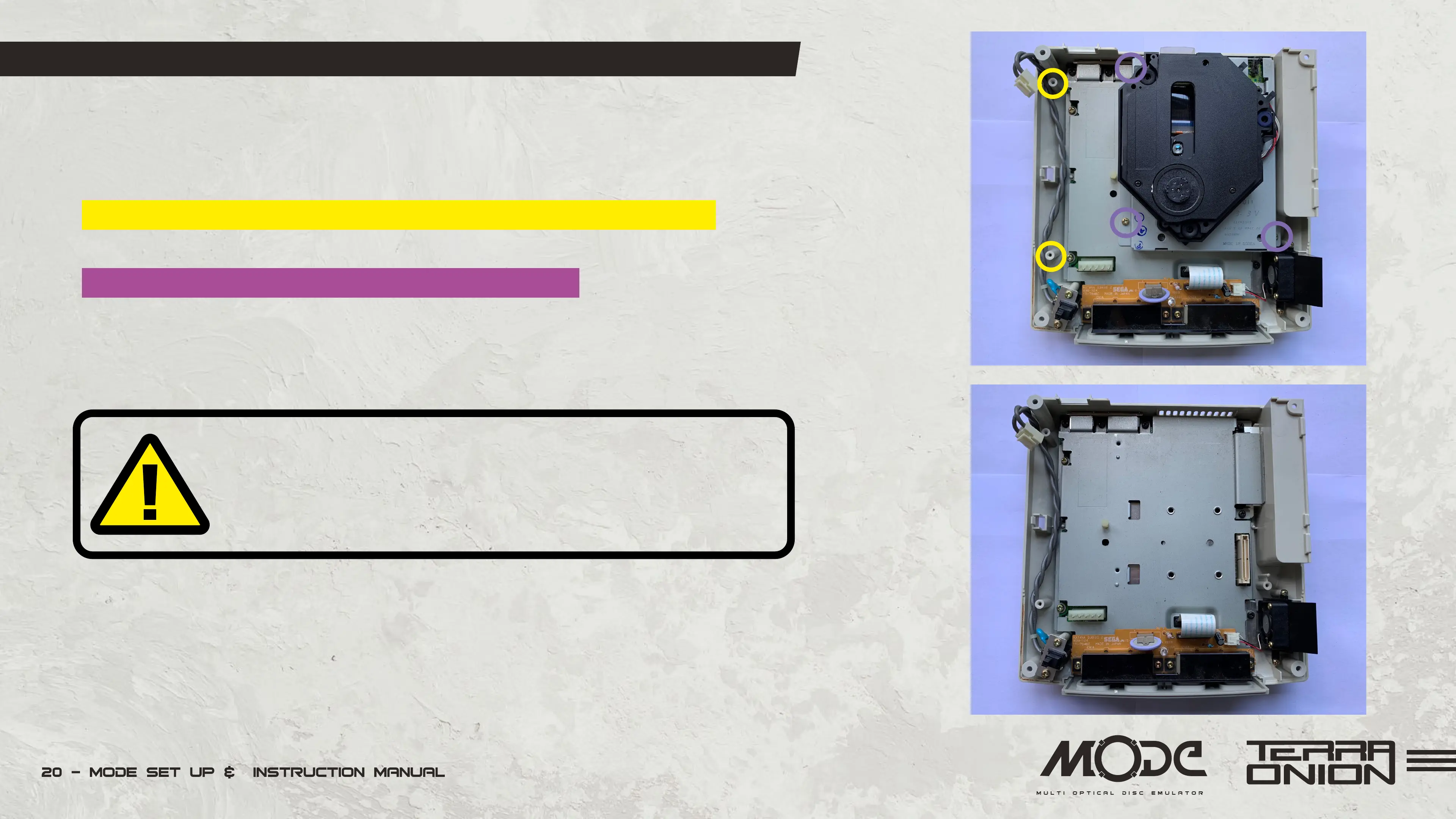
• On certain revisions you may need to remove the PSU to access the GD-ROM assembly
screws. If needed, unplug the 2 pin power cable going into the PSU from the motherboard.
• Remove the 2 screws holding it in place and gently lift the PSU out.
• Remove screws (3) holding down GD-ROM assembly.
• Remove GD-ROM assembly.
Please note that if your Dreamcast has a ribbon cable
coming off of the GD-ROM assembly you likely have
a VA2 Dreamcast and MODE is not compatible.


 To Next Page