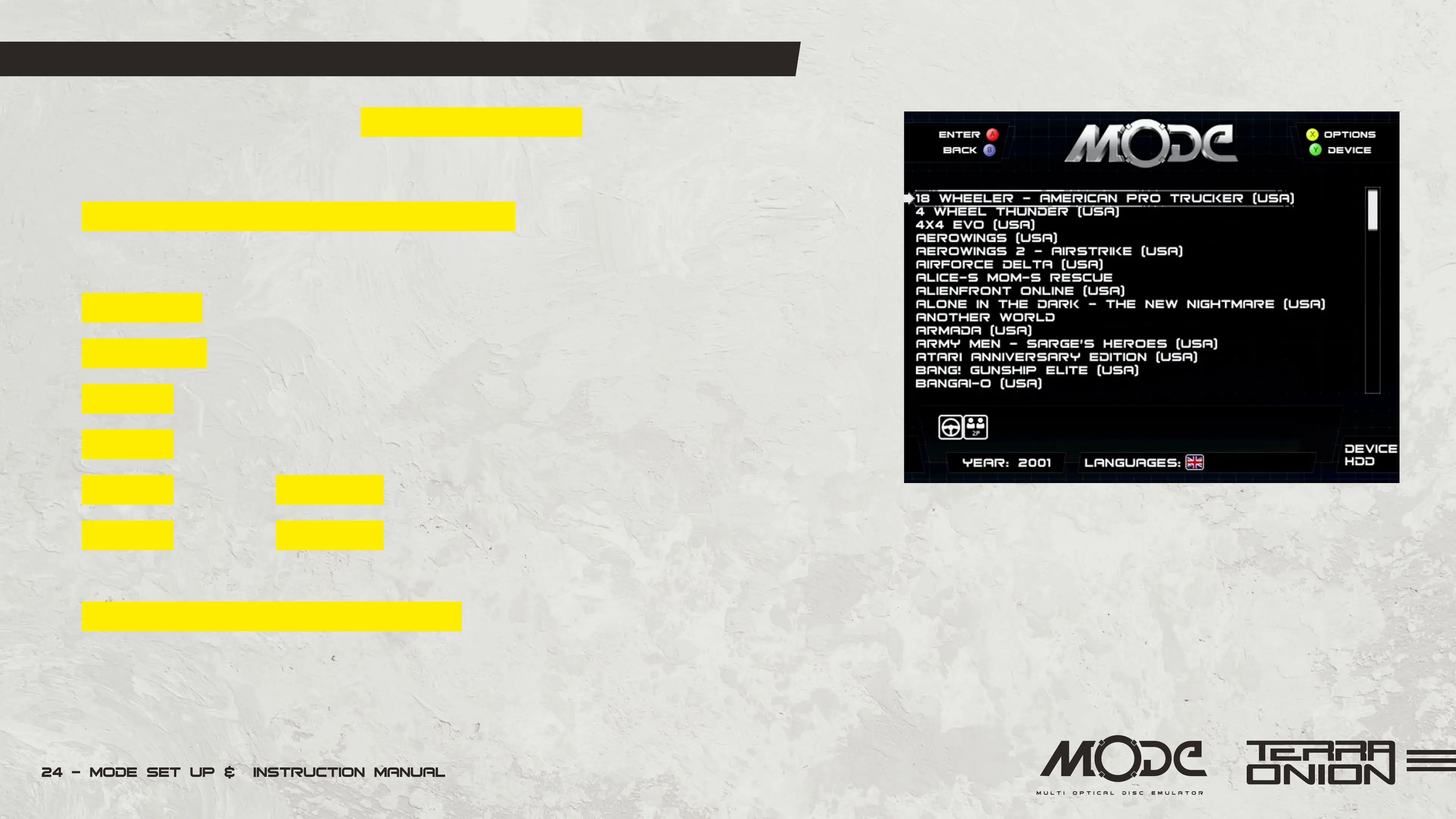
MODE Menu and Interface
MODE has a menu system with 2 different view layouts.
We will detail those shortly when going into the options menu.
By default MODE ships in the list view interface which is a simple list of your games
with no additional artwork. This is a minimalist view with no frills.
Up or Down on the controller moves the cursor one game at a time.
Right or Left moves the cursor a page up or down.
A button to launch a game, activate menu option or navigate into a folder.
B button to go back in the interface (when navigating folders or exiting sub menus).
X button (Dreamcast) or C button (Saturn) opens up the Options menu.
Y button (Dreamcast) or Z button (Saturn) switches storage devices. Press it to switch
between SD card, SATA or USB if you have a card or drive plugged into them.
Left Shoulder and Right Shoulder buttons sorts the games by genre. See Genre Fil-
tering section for more details.


 To Next Page