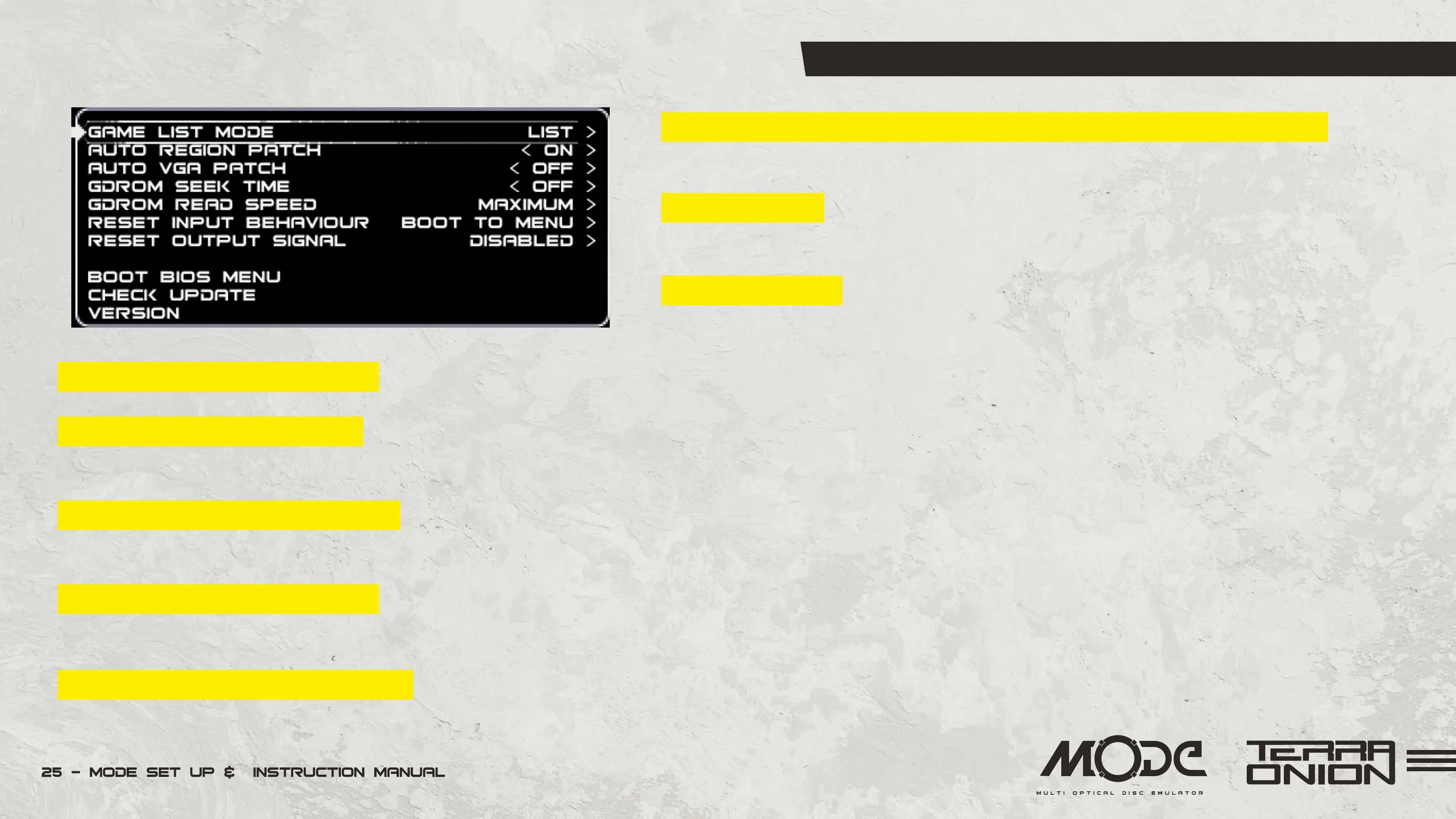
MODE Menu and Interface - Options Menu
Pressing the X button on the Dreamcast or Z button on the Saturn controller will bring
up the Options menu. The options menu will vary between the Saturn and Dreamcast.
Game List Mode - List and Covers. This allows you to switch between the simple list
view and advanced cover art interface.
Auto Region Patch - On or Off. Allows you play games from regions other than the
one your console is from . Example: Play Japanese games on a USA console.
Auto VGA Patch (Dreamcast Only) - On or Off. Forces games to run in 480P mode. Not all games support this.
Disable Lid Switch (Saturn Only) - Yes or No. The Saturn lid switch typically is used to send signals to the Saturn that the drive bay is open (which is used
for disc switching). If you intend to run MODE with the Saturn top cover removed this option will bypass the lid switch for this behavior.
GDROM Seek Time (Dreamcast Only) - On or Off. This option approximates the behavior of the dreamcast laser as it searches for data on the disc. Turning
it “On” may improve compatibility with games in exchange for slower loading.
Starting Video Mode (Saturn Only) - NTSC or PAL. Sets the video output to either PAL or NTSC at boot. (Requires the optional Region wire to be connected
to MODE as per the Advanced Installation details.)
GDROM Read Speed (Dreamcast Only) - Normal, Medium or Maximum. This option allows for the simulated GD-ROM drive to load data at different rates.
Some titles may prefer slow speeds in order to remain in sync.


 To Next Page